Instructions
Overview
The Instructions feature in ToBeAlert provides a way to associate procedural guidance with specific types of alerts. These entries act as predefined response playbooks, helping operators resolve incidents efficiently and consistently.
By offering standardized resolution steps tailored to common alert scenarios, Instructions reduce response time, minimize errors, and promote alignment with organizational best practices.
Using and managing instructions
Creating and accessing instructions
Instructions are categorized by alert reason, such as Login Failed, Low Disk Space, or Application Error, and can be created or updated by authorized users. When a new alert arrives, operators can access relevant instructions directly from the alert’s contextual menu via right-click, streamlining the response process.
To create an instruction navigate to an alert's view:
- Right-click on the alert and select the Instructions button
- An "Unkown Wiki ID" page should appear if there is not an instruction for that alert type yet
- Click on the top-right button with the + sign
- Modify the exisiting text to your liking using Markdown language
- You can preview the instruction using the Toggle Preview button
- Save the instruction with the Create New Wiki button
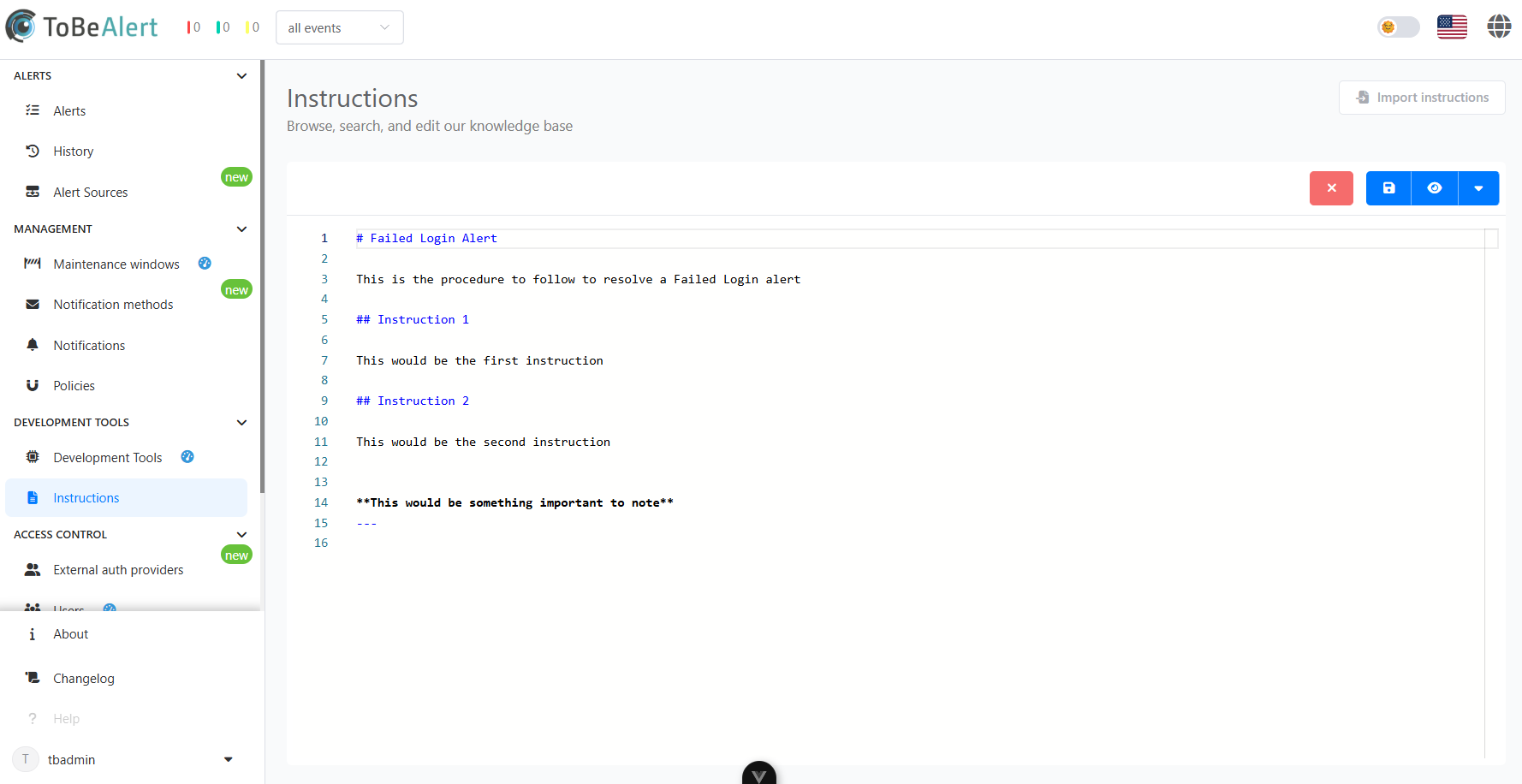
Accessing instructions
There are two ways to access an existing instruction:
- Right-click on the alert and select the Instructions button
- Navigate to the Instructions tab on the Development Tools section and search for the instruction
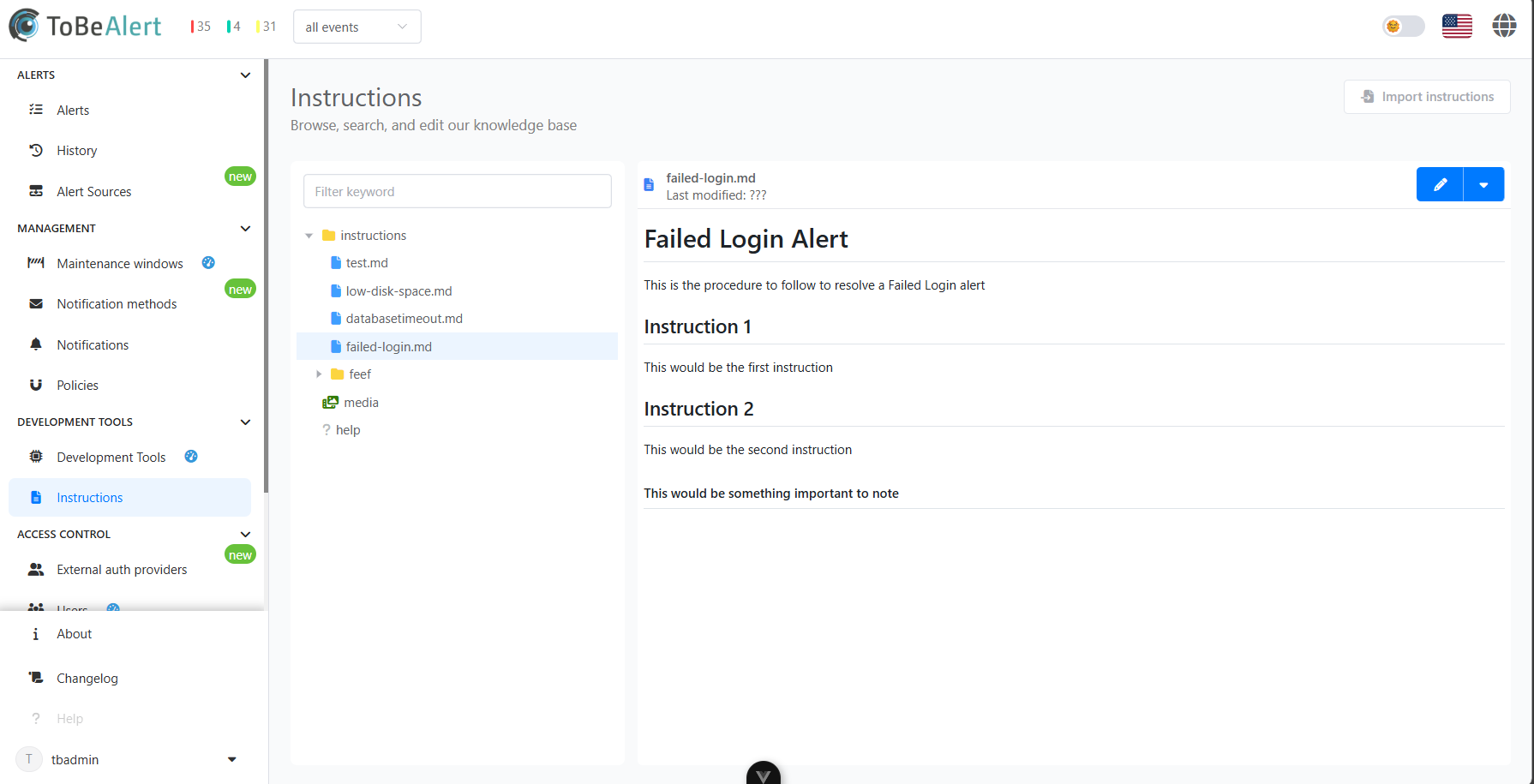
Best practices
Best practices for instructions:
- Be clear and concise – Write instructions in a straightforward manner, using simple language and avoiding ambiguity.
- Structure by steps – Use a step-by-step format to guide operators through the resolution process logically and efficiently.
- Include context – Briefly explain the possible cause or impact of the alert to help operators understand the situation.
- Use consistent formatting – Apply uniform formatting (e.g., numbered lists, bold for commands) to improve readability and comprehension.
- Keep instructions up to date – Regularly review and update content to reflect changes in infrastructure or procedures.