Windows
To download and run ToBeAlert you will first need to log in to Docker hub:
docker login -u $your_username
Choose any host directory for your deployment files. Examples use INSTALL_PATH — set it to your path (for example C:/tobealert on Windows or a WSL path). There is no required folder name.
For a ready-to-use stack, use the Docker Compose example.
Prepare backup folders before first start.
Docker Desktop with WSL (Linux path inside WSL):
export INSTALL_PATH=/opt/tobealert   # example only — change to your chosen path

mkdir -p "$INSTALL_PATH/data/backups"
sudo chown -R 1000:1000 "$INSTALL_PATH/data/backups"
sudo chmod -R 775 "$INSTALL_PATH/data/backups"
Native Windows paths — use a path such as C:/tobealert as INSTALL_PATH in the compose file (see volume mounts below) and ensure the container user (UID 1000) can write to that folder.
Save docker-compose.yaml in $INSTALL_PATH and adjust the highlighted lines for your environment.
If you have your own PostgreSQL
Remember to change the highlighted lines, especially line 8
services:
  tobealert-redis:
    image: redis:latest
    container_name: tobealert-redis
    healthcheck:
      test: ["CMD", "redis-cli", "ping"]
      interval: 2s
      timeout: 3s
      retries: 5
    restart: unless-stopped
    networks:
      - tobealert-network

  tobealert-backend:
    image: tobek8s/tobealert-backend:latest
    container_name: tobealert-backend
    environment:
      ADMIN_USER: tbadmin
      ADMIN_PASSWORD: changeme
      DATABASE_URL: postgres://$USERNAME:$PASSWORD@$HOSTNAME:$PORT/tobealert
      REDIS_HOST: tobealert-redis
      REDIS_PORT: "6379"
      TIMEZONE: Europe/Madrid
    ports:
      - "9000:9000"
    volumes:
      - C:/tobealert/data/backups:/tobealert/backups   # example — use your INSTALL_PATH
      # Optional: - C:/tobealert/config:/tobealert/config
      - tools_data:/tobealert/tools
      - license_data:/tobealert/license
      - instructions_data:/tobealert/instructions
    depends_on:
      tobealert-redis:
        condition: service_healthy
    restart: unless-stopped
    networks:
      - tobealert-network

  tobealert-frontend:
    image: tobek8s/tobealert-frontend:latest
    container_name: tobealert-frontend
    environment:
      BASE_URL: http://localhost
      API_URL: http://localhost:9000
      BACKEND_SERVICE: tobealert-backend
      BACKEND_PORT: "9000"
    ports:
      - "8005:8080"
    depends_on:
      - tobealert-backend
    restart: unless-stopped
    networks:
      - tobealert-network

volumes:
  tools_data:
  instructions_data:
  license_data:

networks:
  tobealert-network:
    driver: bridge
If you want to deploy a container with PostgreSQL alongside ToBeAlert
services:
  tobealert-bbdd:
    image: postgres:17.5-alpine
    container_name: tobealert-bbdd
    environment:
      POSTGRES_USER: tobealert
      POSTGRES_PASSWORD: tobealert
      POSTGRES_DB: tobealert
      TZ: Europe/Madrid
    ports:
      - "5432:5432"
    volumes:
      - postgres_data:/var/lib/postgresql/data
    healthcheck:
      test: ["CMD-SHELL", "pg_isready -U tobealert"]
      interval: 2s
      timeout: 5s
      retries: 5
    restart: unless-stopped
    networks:
      - tobealert-network

  tobealert-redis:
    image: redis:latest
    container_name: tobealert-redis
    healthcheck:
      test: ["CMD", "redis-cli", "ping"]
      interval: 2s
      timeout: 3s
      retries: 5
    restart: unless-stopped
    networks:
      - tobealert-network

  tobealert-backend:
    image: tobek8s/tobealert-backend:latest
    container_name: tobealert-backend
    environment:
      ADMIN_USER: tbadmin
      ADMIN_PASSWORD: changeme
      DATABASE_URL: postgres://tobealert:tobealert@tobealert-bbdd:5432/tobealert
      REDIS_HOST: tobealert-redis
      REDIS_PORT: "6379"
      TIMEZONE: Europe/Madrid
    ports:
      - "9000:9000"
    volumes:
      - C:/tobealert/data/backups:/tobealert/backups   # example — use your INSTALL_PATH
      # Optional: persist config — auto-created inside container if omitted
      # - C:/tobealert/config:/tobealert/config
      - tools_data:/tobealert/tools
      - license_data:/tobealert/license
      - instructions_data:/tobealert/instructions
    depends_on:
      tobealert-bbdd:
        condition: service_healthy
      tobealert-redis:
        condition: service_healthy
    restart: unless-stopped
    networks:
      - tobealert-network

  tobealert-frontend:
    image: tobek8s/tobealert-frontend:latest
    container_name: tobealert-frontend
    environment:
      BASE_URL: http://localhost
      API_URL: http://localhost:9000
      BACKEND_SERVICE: tobealert-backend
      BACKEND_PORT: "9000"
    ports:
      - "8005:8080"
    depends_on:
      - tobealert-backend
    restart: unless-stopped
    networks:
      - tobealert-network

volumes:
  postgres_data:
  tools_data:
  instructions_data:
  license_data:

networks:
  tobealert-network:
    driver: bridge
Starting ToBeAlert
To start ToBeAlert, run the following from the directory where you saved docker-compose.yaml (your INSTALL_PATH):
cd "$INSTALL_PATH"   # or cd C:/tobealert on native Windows
docker compose up -d
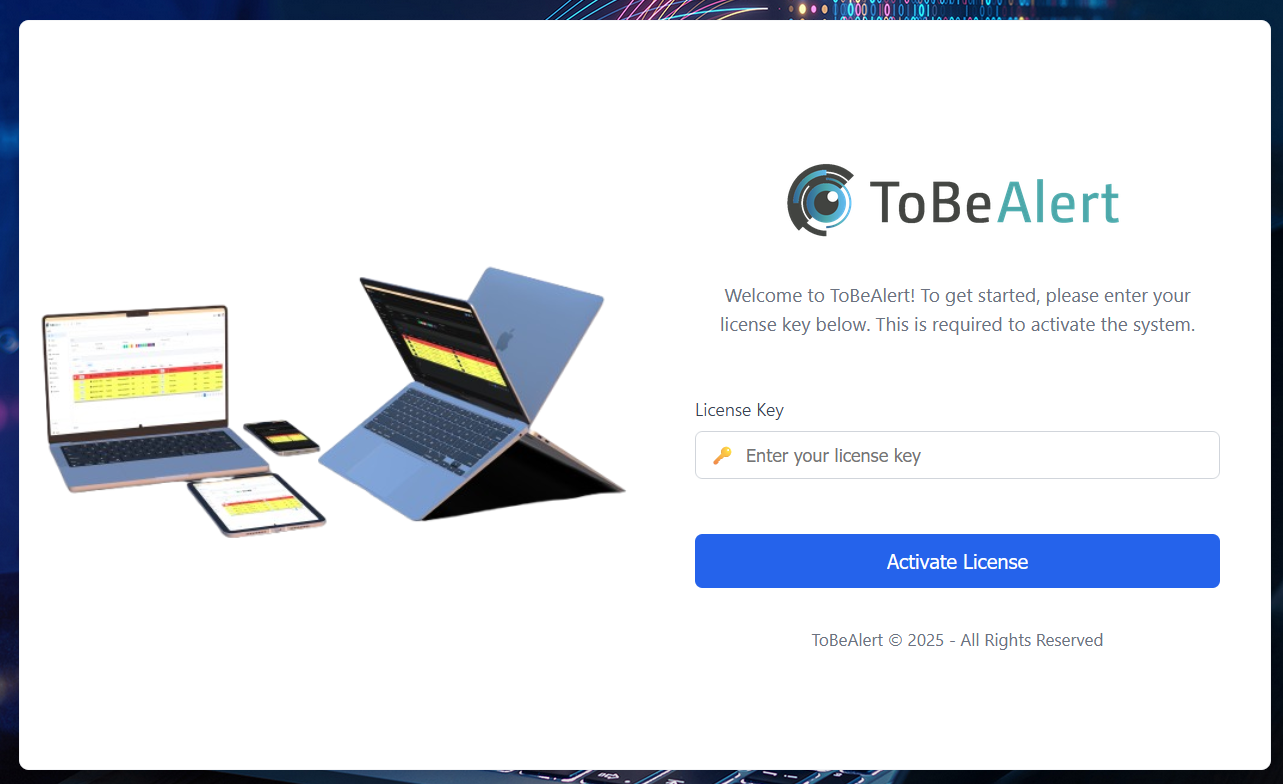
And if you open a browser and go to your BASE_URL you will be greeted with this window:
Configuration reference
For environment variables, tobealertd.conf, PostgreSQL, frontend URLs, and volume paths, see Settings & environment variables.