Kubernetes
This guide explains how to deploy ToBeAlert on a Kubernetes cluster. Before starting, make sure your images are available in your cluster's container runtime.
Prerequisites
- A running Kubernetes cluster (tested with containerd via
ctr) kubectlconfigured to access your cluster- The
tobealert-frontendandtobealert-backendDocker images built locally or pulled from Docker Hub
Directory structure
All Kubernetes manifests should be placed under a k8s/ directory:
k8s/
├── namespace.yaml           # (optional, created via CLI in the guide below)
├── persistent-volumes.yaml
├── postgres-deployment.yaml
├── backend-deployment.yaml
├── frontend-deployment.yaml
├── services.yaml
└── configmap.yaml           # (optional, for environment variables)
Step 1 — Import images into the cluster
If your images are built locally (not pushed to a registry), import them into containerd so Kubernetes can use them:
docker save tobealert-frontend:latest | sudo ctr -n k8s.io images import -
docker save tobealert-backend:latest  | sudo ctr -n k8s.io images import -
If you are pulling from Docker Hub, you can skip this step and reference the images directly in the manifests (e.g.
tobek8s/tobealert-backend:latest).
Step 2 — Create the namespace
kubectl create namespace tobealerta-interno
Step 3 — Apply the manifests
kubectl apply -f k8s/ -n tobealerta-interno
Manifest files
Persistent Volumes
ToBeAlert needs persistent storage for PostgreSQL data, tools, license, instructions, and Redis. Create the host directories first:
sudo mkdir -p \
  /tmp/postgres-tobealerta \
  /tmp/tobealerta-tools \
  /tmp/tobealerta-license \
  /tmp/tobealerta-instructions \
  /tmp/redis-tobealerta
Then apply the following manifest (k8s/persistent-volumes.yaml):
apiVersion: v1
kind: PersistentVolume
metadata:
  name: postgres-tobealerta-pv
spec:
  capacity:
    storage: 5Gi
  accessModes:
    - ReadWriteOnce
  hostPath:
    path: /tmp/postgres-tobealerta
---
apiVersion: v1
kind: PersistentVolumeClaim
metadata:
  name: postgres-tobealerta-pvc
  namespace: tobealerta-interno
spec:
  accessModes:
    - ReadWriteOnce
  resources:
    requests:
      storage: 5Gi
---
apiVersion: v1
kind: PersistentVolume
metadata:
  name: tobealerta-tools-pv
spec:
  capacity:
    storage: 1Gi
  accessModes:
    - ReadWriteOnce
  hostPath:
    path: /tmp/tobealerta-tools
---
apiVersion: v1
kind: PersistentVolumeClaim
metadata:
  name: tobealerta-tools-pvc
  namespace: tobealerta-interno
spec:
  accessModes:
    - ReadWriteOnce
  resources:
    requests:
      storage: 1Gi
---
apiVersion: v1
kind: PersistentVolume
metadata:
  name: tobealerta-license-pv
spec:
  capacity:
    storage: 100Mi
  accessModes:
    - ReadWriteOnce
  hostPath:
    path: /tmp/tobealerta-license
---
apiVersion: v1
kind: PersistentVolumeClaim
metadata:
  name: tobealerta-license-pvc
  namespace: tobealerta-interno
spec:
  accessModes:
    - ReadWriteOnce
  resources:
    requests:
      storage: 100Mi
---
apiVersion: v1
kind: PersistentVolume
metadata:
  name: tobealerta-instructions-pv
spec:
  capacity:
    storage: 100Mi
  accessModes:
    - ReadWriteOnce
  hostPath:
    path: /tmp/tobealerta-instructions
---
apiVersion: v1
kind: PersistentVolumeClaim
metadata:
  name: tobealerta-instructions-pvc
  namespace: tobealerta-interno
spec:
  accessModes:
    - ReadWriteOnce
  resources:
    requests:
      storage: 100Mi
PostgreSQL
k8s/postgres-deployment.yaml
apiVersion: apps/v1
kind: Deployment
metadata:
  name: tobealerta-bbdd
  namespace: tobealerta-interno
spec:
  replicas: 1
  selector:
    matchLabels:
      app: tobealerta-bbdd
  template:
    metadata:
      labels:
        app: tobealerta-bbdd
    spec:
      containers:
        - name: postgres
          image: postgres:17.5-alpine
          env:
            - name: POSTGRES_USER
              value: "tobealert"
            - name: POSTGRES_PASSWORD
              value: "tobealert"
            - name: POSTGRES_DB
              value: "tobealert"
            - name: TZ
              value: "Europe/Madrid"
          ports:
            - containerPort: 5432
          volumeMounts:
            - name: postgres-data
              mountPath: /var/lib/postgresql/data
          readinessProbe:
            exec:
              command: ["pg_isready", "-U", "tobealert"]
            initialDelaySeconds: 5
            periodSeconds: 2
            failureThreshold: 5
      volumes:
        - name: postgres-data
          persistentVolumeClaim:
            claimName: postgres-tobealerta-pvc
---
apiVersion: v1
kind: Service
metadata:
  name: tobealerta-bbdd-svc
  namespace: tobealerta-interno
spec:
  selector:
    app: tobealerta-bbdd
  ports:
    - port: 5432
      targetPort: 5432
Redis
k8s/redis-deployment.yaml
apiVersion: apps/v1
kind: Deployment
metadata:
  name: tobealerta-redis
  namespace: tobealerta-interno
spec:
  replicas: 1
  selector:
    matchLabels:
      app: tobealerta-redis
  template:
    metadata:
      labels:
        app: tobealerta-redis
    spec:
      containers:
        - name: redis
          image: redis:latest
          ports:
            - containerPort: 6379
---
apiVersion: v1
kind: Service
metadata:
  name: tobealerta-redis-svc
  namespace: tobealerta-interno
spec:
  selector:
    app: tobealerta-redis
  ports:
    - port: 6379
      targetPort: 6379
Backend
k8s/backend-deployment.yaml
apiVersion: apps/v1
kind: Deployment
metadata:
  name: tobealerta-backend
  namespace: tobealerta-interno
spec:
  replicas: 1
  selector:
    matchLabels:
      app: tobealerta-backend
  template:
    metadata:
      labels:
        app: tobealerta-backend
    spec:
      containers:
        - name: backend
          image: tobek8s/tobealert-backend:latest
          imagePullPolicy: Never   # remove this line if pulling from a registry
          env:
            - name: ADMIN_USER
              value: "tbadmin"
            - name: ADMIN_PASSWORD
              value: "changeme"
            - name: DATABASE_URL
              value: "postgres://tobealert:tobealert@tobealerta-bbdd-svc:5432/tobealert"
            - name: REDIS_HOST
              value: "tobealerta-redis-svc"
            - name: REDIS_PORT
              value: "6379"
            - name: TIMEZONE
              value: "Europe/Madrid"
          ports:
            - containerPort: 9000
          volumeMounts:
            - name: tools
              mountPath: /tobealert/tools
            - name: license
              mountPath: /tobealert/license
            - name: instructions
              mountPath: /tobealert/instructions
            - name: config
              mountPath: /tobealert/config
      volumes:
        - name: tools
          persistentVolumeClaim:
            claimName: tobealerta-tools-pvc
        - name: license
          persistentVolumeClaim:
            claimName: tobealerta-license-pvc
        - name: instructions
          persistentVolumeClaim:
            claimName: tobealerta-instructions-pvc
        - name: config
          hostPath:
            path: /etc/tobealert/config
---
apiVersion: v1
kind: Service
metadata:
  name: tobealerta-backend-svc
  namespace: tobealerta-interno
spec:
  selector:
    app: tobealerta-backend
  ports:
    - port: 9000
      targetPort: 9000
Frontend
k8s/frontend-deployment.yaml
apiVersion: apps/v1
kind: Deployment
metadata:
  name: tobealerta-frontend
  namespace: tobealerta-interno
spec:
  replicas: 1
  selector:
    matchLabels:
      app: tobealerta-frontend
  template:
    metadata:
      labels:
        app: tobealerta-frontend
    spec:
      containers:
        - name: frontend
          image: tobek8s/tobealert-frontend:latest
          imagePullPolicy: Never   # remove this line if pulling from a registry
          env:
            - name: BASE_URL
              value: "http://localhost"
            - name: API_URL
              value: "http://localhost:9000"
            - name: BACKEND_SERVICE
              value: "tobealerta-backend-svc"
            - name: BACKEND_PORT
              value: "9000"
          ports:
            - containerPort: 8080
---
apiVersion: v1
kind: Service
metadata:
  name: tobealerta-frontend-svc
  namespace: tobealerta-interno
spec:
  selector:
    app: tobealerta-frontend
  ports:
    - port: 8080
      targetPort: 8080
Step 4 — Wait for rollout
kubectl rollout status deployment/tobealerta-backend  -n tobealerta-interno --timeout=3m
kubectl rollout status deployment/tobealerta-frontend -n tobealerta-interno --timeout=3m
kubectl get pods -n tobealerta-interno
Step 5 — Verify the deployment
Wait for all pods to be ready
kubectl wait --for=condition=ready pod -l app=tobealerta-backend  -n tobealerta-interno --timeout=60s
kubectl wait --for=condition=ready pod -l app=tobealerta-frontend -n tobealerta-interno --timeout=60s
Check backend health
Open a temporary port-forward to test the backend:
kubectl port-forward service/tobealerta-backend-svc -n tobealerta-interno 9000:9000 --address 0.0.0.0 &
sleep 3
curl -sSL http://localhost:9000/api/management/healthcheck
Check the frontend
kubectl port-forward service/tobealerta-frontend-svc -n tobealerta-interno 8005:8080 --address 0.0.0.0 &
sleep 3
curl -sSfLk http://localhost:8005 | grep -oP "<title>.*"
Check backend logs
POD=$(kubectl get pods -l app=tobealerta-backend -n tobealerta-interno -o jsonpath='{.items[0].metadata.name}')
kubectl logs "$POD" -n tobealerta-interno
Useful commands
# See all resources in the namespace
kubectl get all -n tobealerta-interno

# Describe a deployment (useful when pods won't start)
kubectl describe deployment tobealerta-backend -n tobealerta-interno

# Tail logs in real time
kubectl logs -f deployment/tobealerta-backend -n tobealerta-interno

# Restart a deployment (picks up new image or config changes)
kubectl rollout restart deployment tobealerta-backend  -n tobealerta-interno
kubectl rollout restart deployment tobealerta-frontend -n tobealerta-interno
Teardown
To remove everything cleanly:
kubectl delete namespace tobealerta-interno
kubectl delete pv \
  postgres-tobealerta-pv \
  tobealerta-tools-pv \
  tobealerta-license-pv \
  tobealerta-instructions-pv
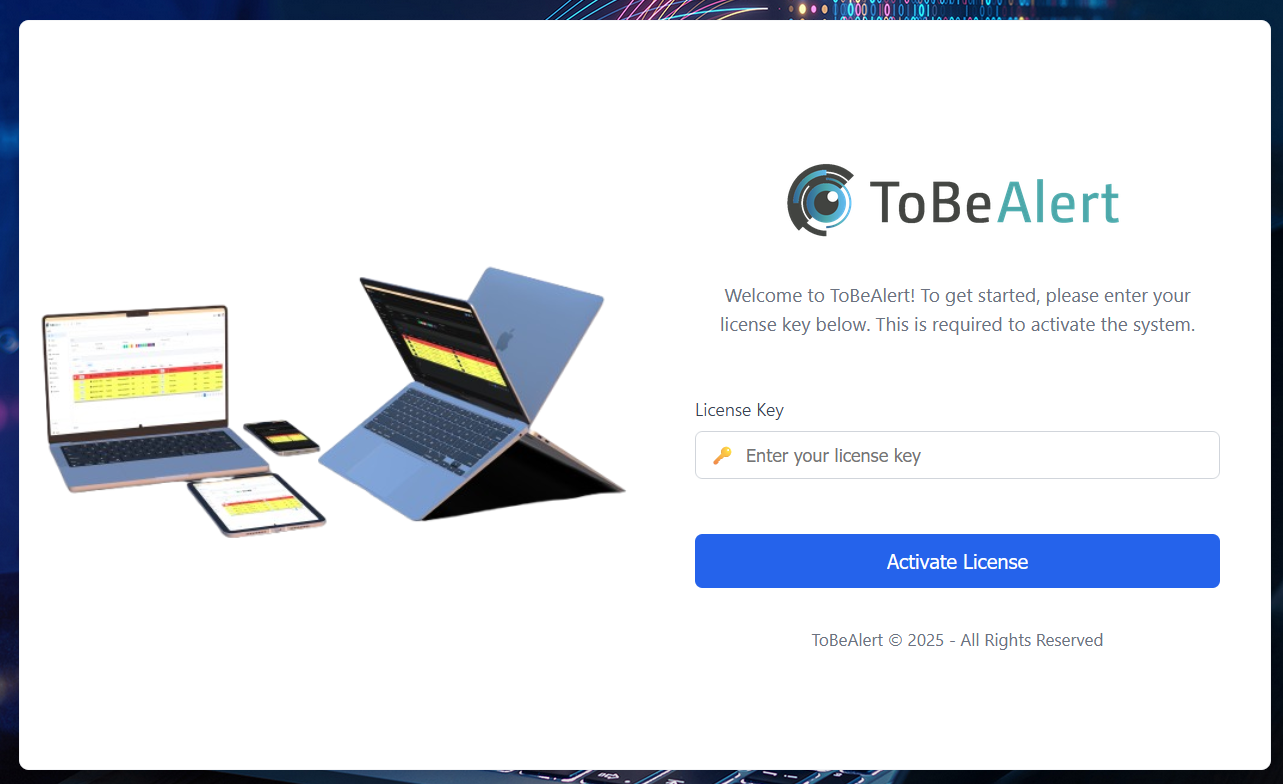
And if you open a browser and go to your BASE_URL you will be greeted with this window:
Configuration reference
For environment variables, tobealertd.conf, and how they map to Kubernetes manifests, see Settings & environment variables.