Linux
To download and run ToBeAlert you will first need to log in to Docker hub:
docker login -u $your_username
Choose any host directory for your deployment files (docker-compose.yaml, backup bind mounts, and so on). Examples use INSTALL_PATH — set it to your path; there is no required folder name.
export INSTALL_PATH=/opt/tobealert   # example only — change to your chosen path

mkdir -p "$INSTALL_PATH/data/backups"
sudo chown -R 1000:1000 "$INSTALL_PATH/data/backups"
sudo chmod -R 775 "$INSTALL_PATH/data/backups"
Optional persistent config on the host (adjust the path if you prefer another location):
sudo mkdir -p /etc/tobealert/config
sudo chown -R 1000:1000 /etc/tobealert/config
Save docker-compose.yaml in $INSTALL_PATH and adjust the highlighted lines for your environment.
Recommended: full stack with Docker Compose
See the Docker page for a ready-to-use docker-compose.yaml (PostgreSQL, Redis, backend, frontend) on a shared bridge network.
If you have your own PostgreSQL
Remember to change the highlighted lines, especially line 9
services:
  tobealert-backend:
    image: tobek8s/tobealert-backend:latest
    container_name: tobealert-backend
    network_mode: host
    environment:
      ADMIN_USER: tbadmin
      ADMIN_PASSWORD: tbadmin
      DATABASE_URL: postgres://$USERNAME:$PASSWORD@$HOSTNAME:$PORT/tobealert
      REDIS_HOST: localhost
      REDIS_PORT: "6379"
      TZ: Europe/Madrid
    ports:
      - "9000:9000"
    volumes:
      - ./data/backups:/tobealert/backups
      - tools_data:/tobealert/tools
      - license_data:/tobealert/license
      - instructions_data:/tobealert/instructions
      - patches_data:/tobealert/patches
    restart: unless-stopped
    network_mode: host

  tobealert-redis:
    image: redis:latest
    container_name: tobealert-redis
    network_mode: host
    restart: unless-stopped

  tobealert-frontend:
    image: tobek8s/tobealert-frontend:latest
    container_name: tobealert-frontend
    network_mode: host
    environment:
      BASE_URL: http://localhost
      API_URL: http://localhost:9000/api
      BACKEND_SERVICE: localhost
      BACKEND_PORT: "9000"
    ports:
      - "80:80"
    restart: unless-stopped

volumes:
  tools_data:
  instructions_data:
  license_data:
  patches_data:
Set ADMIN_PASSWORD before the first backend start. Changing it later does not update the stored password. See Bootstrap / ADMIN_PASSWORD.
If you want to deploy a container with PostgreSQL alongside ToBeAlert
Same as the Docker Compose example — use that file as the reference implementation.
Starting ToBeAlert
To start ToBeAlert, run the following from $INSTALL_PATH (where docker-compose.yaml is saved):
cd "$INSTALL_PATH"
docker compose up -d
And if you open a browser and go to your BASE_URL you will be greeted with this window:
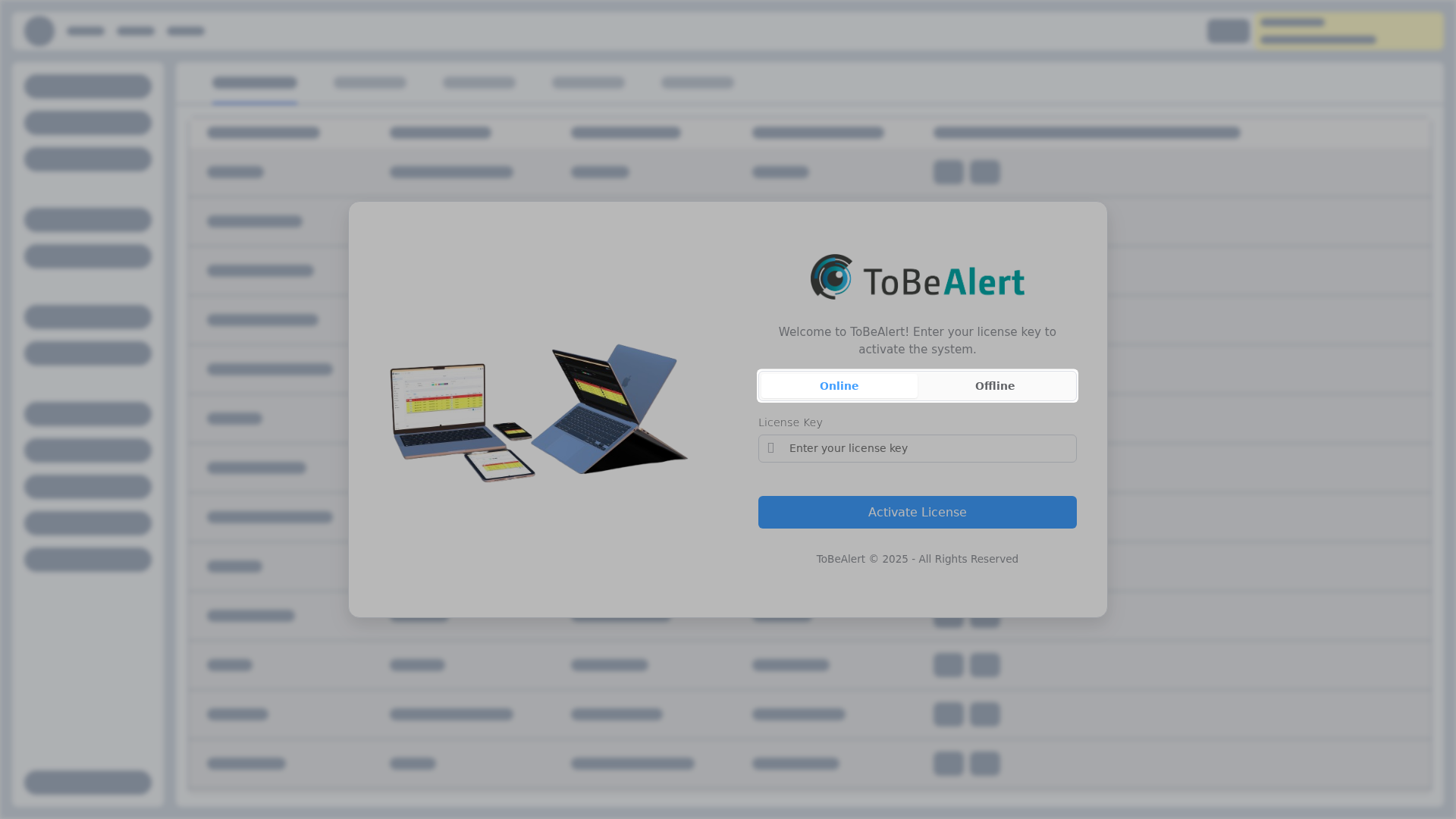
Complete License setup there: Online (license key) when the host can reach the licensing server, or Offline (license file) on air-gapped sites.
HTTPS
The frontend container serves HTTP on port 8080. To publish https://your-domain, add the TLS proxy and backend certificate as described in HTTPS and TLS.
Configuration reference
For environment variables, tobealertd.conf, PostgreSQL, frontend URLs, and volume paths, see Settings & environment variables.