Overview
API keys let integrations, scripts, and the mobile app call ToBeAlert on behalf of a user. Each key has an owner, permissions, an expiration date, and a description so you can tell keys apart in audits and support tickets.
| Step | What you configure | Menu / route | Documentation |
|---|---|---|---|
| 1 | Create — owner, expiry, permissions, description | Access Control → Keys → /keys | Managing API keys |
| 2 | Copy the key string and store it securely | Same list or create drawer | Managing API keys |
| 3 | Use the key in API clients (see API authentication) | — | API keys |
| 4 | Revoke — delete or disable keys you no longer need | /keys | Managing API keys |
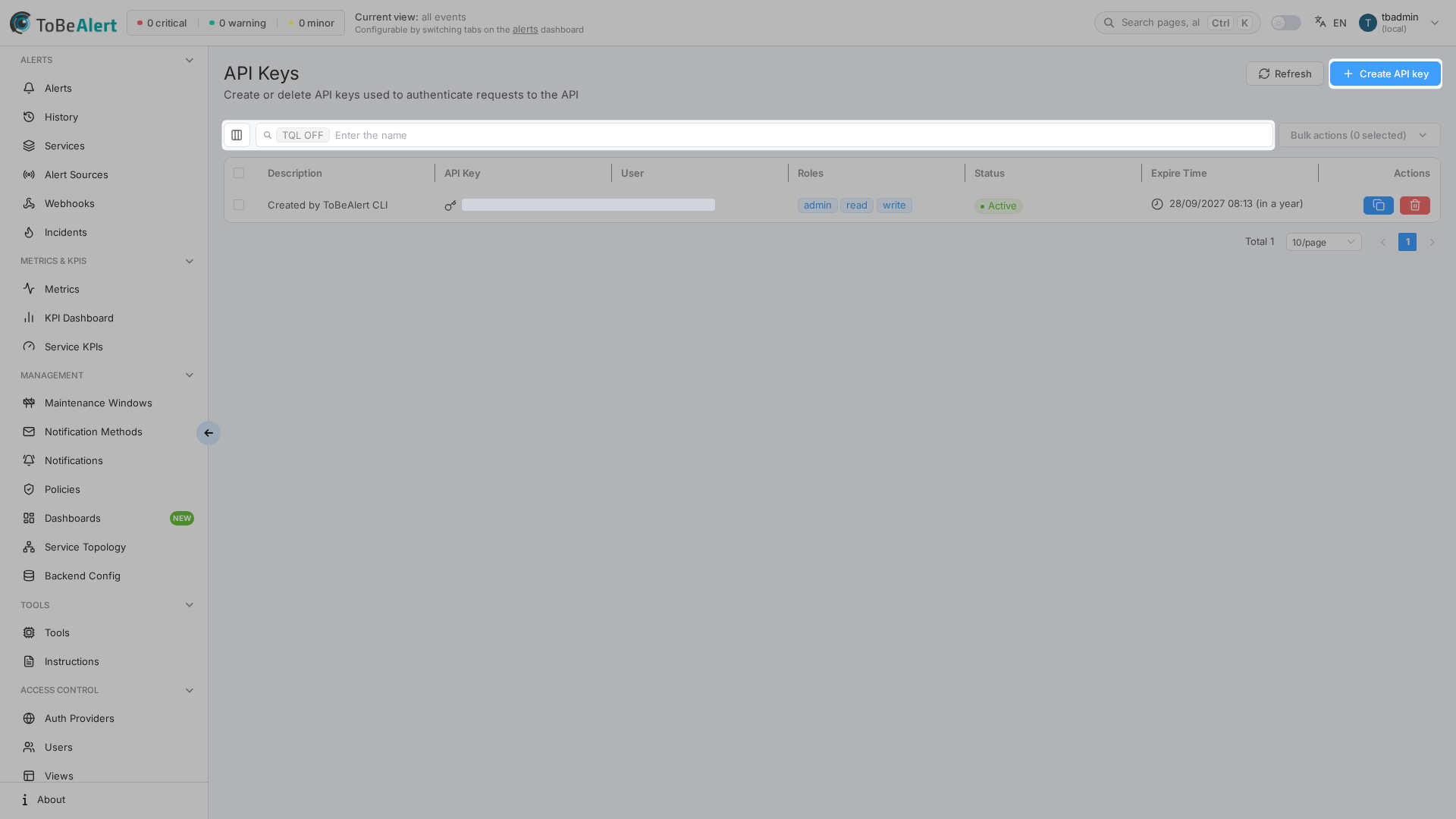
Where to find it in the UI
In the sidebar under Access Control:
- Keys →
/keys
The page title is API Keys. Header actions:
| Button | Purpose |
|---|---|
| Refresh | Reload the keys table |
| Create API key | Open the side drawer to create a new key |
Table search, sorting, pagination, and bulk selection follow the shared list pattern — see TQL search and filters and List tables and bulk actions. Module-specific actions (copy, share, enable, disable, delete) are in Managing API keys.
write:keys shows API Keys (/keys) and lets you list, view (copy / QR), create, edit, duplicate, enable/disable, and delete your own keys. There is no read:keys or delete:keys, and no resource-specific admin scope for keys. Seeing all keys and assigning Owner to another user requires global admin (same as Users and Groups), because those actions also need visibility of other users. Without admin, Owner is fixed to your login. A key cannot receive permission scopes the creator does not already hold. If API Keys or Create API key is missing, contact your administrator.
How keys relate to users and roles
- Owner — the user account recorded when the key is used (for history and audit).
- Permissions — the same permission labels you select when editing a role; choose only what the integration needs.
- Users — each key has an owner user; human accounts still sign in with passwords or SSO.
For a full permission reference by category, see Roles — permissions reference. For HTTP usage (Authorization: Key …), see API authentication.
License and trial limits
| Situation | Behavior |
|---|---|
| License cap on active keys | Header shows active count / limit; Create API key is disabled at the limit |
| Trial tier | Create API key stays disabled |
Related modules
| Module | Relationship |
|---|---|
| Users | Owner accounts for keys |
| Roles | Permission labels shared with API keys |
| API keys (authentication) | Sending requests with a key |
| External auth providers | Human login; keys do not replace user SSO |
Best practices
- One key per integration — use the description field to name the system (for example
monitoring-prod,ci-deploy). - Least privilege — grant only the permissions the automation needs; avoid admin-style bundles unless required.
- Short expiry — default creation uses roughly one month ahead; shorten for high-risk or temporary access.
- Copy and store immediately — treat the key like a password; prefer a secrets manager over chat or email.
- Revoke promptly — delete keys when a project ends or credentials may have leaked.
- Prefer disable for a soft stop — disable suspends use without removing the row; delete when recovery is not needed.