Users, roles, and permissions
Overview
ToBeAlert provides a robust user management system with role-based access control to ensure that users have appropriate access to alerts and system functionality based on their responsibilities and organizational structure.
User management
Creating users
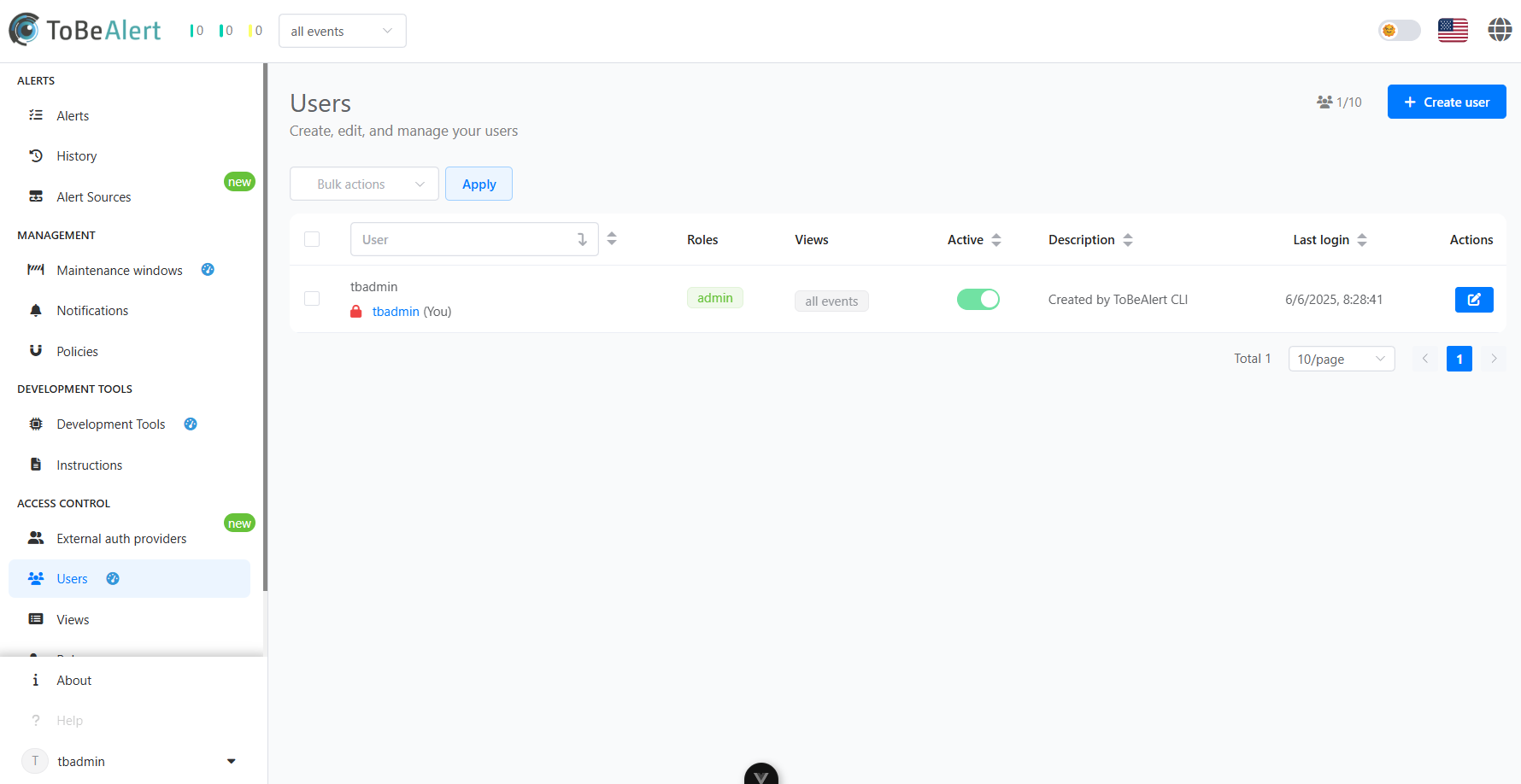
Administrators can create new user accounts through the Users interface:
- Navigate to the Access Control section
- Select the Users tab
- Click the "Create User" button
- Fill in the required information:
- Assign appropriate roles
- Save the user configuration
User properties
Each user account includes the following properties:
| Property | Description |
|---|
| Login | Unique identifier for the user |
| Name | Display name for the user |
| Email | Primary contact email for notifications |
| Roles | Assigned permission sets |
| Views | Assigned views |
| Description | Additional information about the user |
| Status | Active or inactive |
| Last Login | Timestamp of the most recent login |
User actions
Administrators can perform several actions on user accounts:
- Edit - Modify user information and settings
- Disable/Enable - Temporarily deactivate or reactivate accounts
- Delete - Permanently remove a user account
Role-based access control
ToBeAlert implements role-based access control (RBAC) to manage permissions efficiently.
Built-in roles
The system includes some predefined roles:
| Role | Description |
|---|
| Administrator | Full system access with all permissions |
| User | Basic access to view and acknowledge alerts |
Custom roles
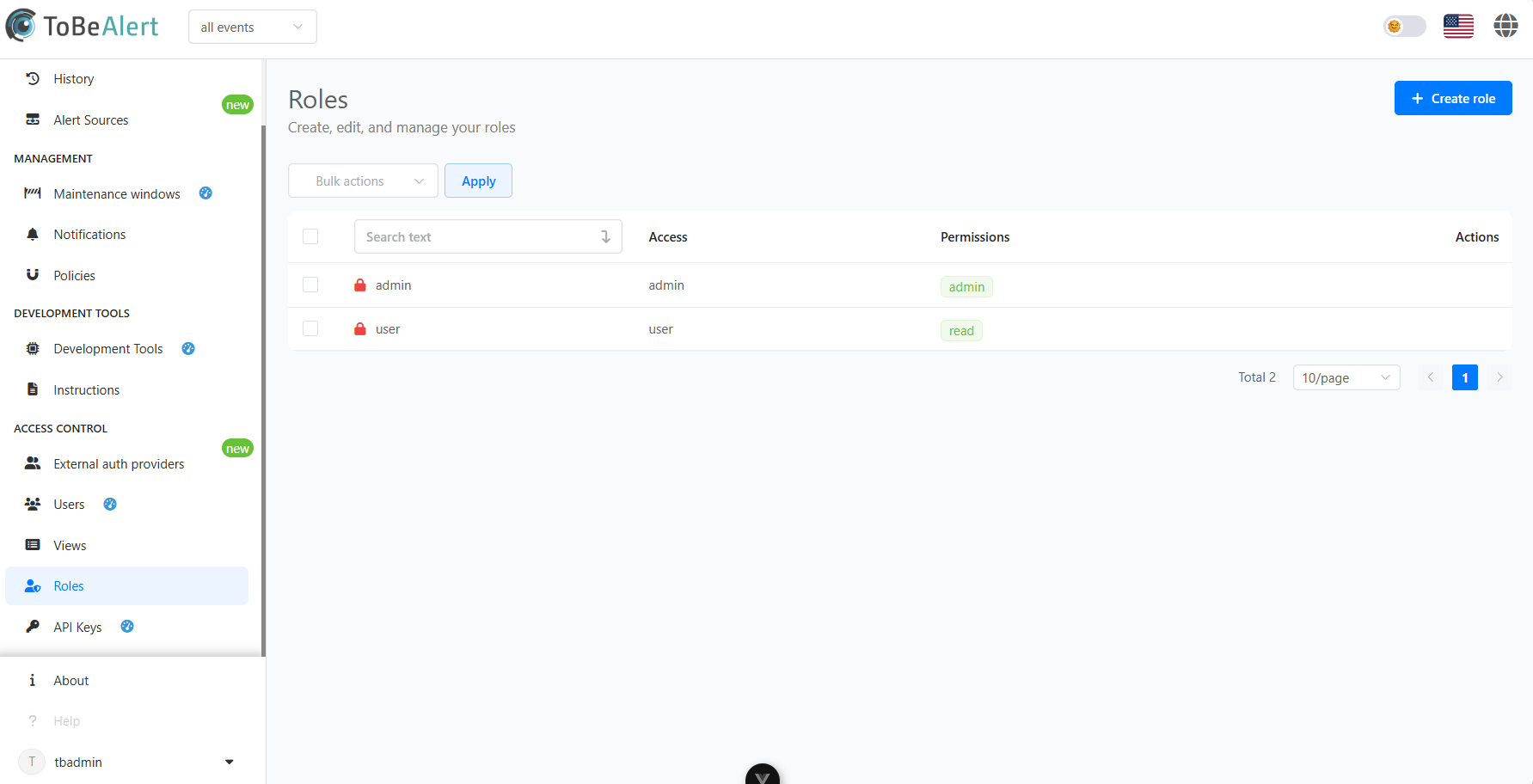
Administrators can create custom roles with specific permission sets:
- Navigate to the Access Control > Roles tab
- Click "Create Role"
- Define a name and description
- Select the appropriate permissions
- Save the role configuration
Permission categories
Permissions in ToBeAlert are organized into the following main categories:
Index
Users
| Permission | Description |
|---|
read:users | View user accounts |
write:users | Create and modify user accounts |
admin:users | Full administrative control over users |
read:userinfo | View user information |
Roles
| Permission | Description |
|---|
read:roles | View roles and permissions |
admin:roles | Manage roles and permissions |
Groups
| Permission | Description |
|---|
read:groups | View user groups |
admin:groups | Manage user groups |
System
| Permission | Description |
|---|
read:management | View system settings |
admin:management | Modify system settings |
Access control
| Permission | Description |
|---|
read:accesscontrol | View access control settings |
write:accesscontrol | Modify access control settings |
API
| Permission | Description |
|---|
read:keys | View API keys |
write:keys | Create and modify API keys |
admin:keys | Full administrative control over API keys |
read:oembed | View oEmbed configurations |
Alerts
| Permission | Description |
|---|
read:alerts | View alerts |
write:alerts | Create and modify alerts |
delete:alerts | Delete alerts |
admin:alerts | Full administrative control over alerts |
Maintenance windows
| Permission | Description |
|---|
read:maintenance_windows | View maintenance windows periods |
write:maintenance_windows | Create and modify maintenance windows |
admin:maintenance_windows | Full administrative control over maintenance windows |
| Permission | Description |
|---|
read:tool | View tools |
write:tool | Use tools |
admin:tool | Full administrative control over tools |
History
| Permission | Description |
|---|
read:history | View system history |
write:history | Modify system history |
admin:history | Full administrative control over history |
Notifications
| Permission | Description |
|---|
read:notification-templates | View notification templates |
write:notification-templates | Create and modify notification templates |
read:notification-groups | View notification groups |
write:notification-groups | Create and modify notification groups |
read:notification-rules | View notification rules |
write:notification-rules | Create and modify notification rules |
Heartbeats
| Permission | Description |
|---|
read:heartbeats | View heartbeat status |
write:heartbeats | Modify heartbeat configurations |
admin:heartbeats | Full administrative control over heartbeats |
Webhooks
| Permission | Description |
|---|
write:webhooks | Create and modify webhooks |
Policies
| Permission | Description |
|---|
read:policies | View policies |
write:policies | Create and modify policies |
admin:policies | Full administrative control over policies |
Instructions
| Permission | Description |
|---|
read:instructions | View system instructions |
write:instructions | Create and modify instructions |
Permission levels
| Level | Description |
|---|
read:* | Basic viewing permissions |
write:* | Ability to create and modify |
admin:* | Full administrative control |
Best practices
For effective user and role management:
- Follow the principle of least privilege - Grant users only the permissions they need
- Create role templates - Standardize roles for common job functions
- Regularly audit access - Review user permissions periodically
- Use descriptive role names - Make role purposes clear from their names
- Document your permission structure - Maintain documentation of your access control strategy
Integration with authentication systems
ToBeAlert can integrate with external authentication systems:
- LDAP/Active Directory
- SAML-based SSO
This integration allows for centralized user management and single sign-on capabilities.