Notification methods
Overview
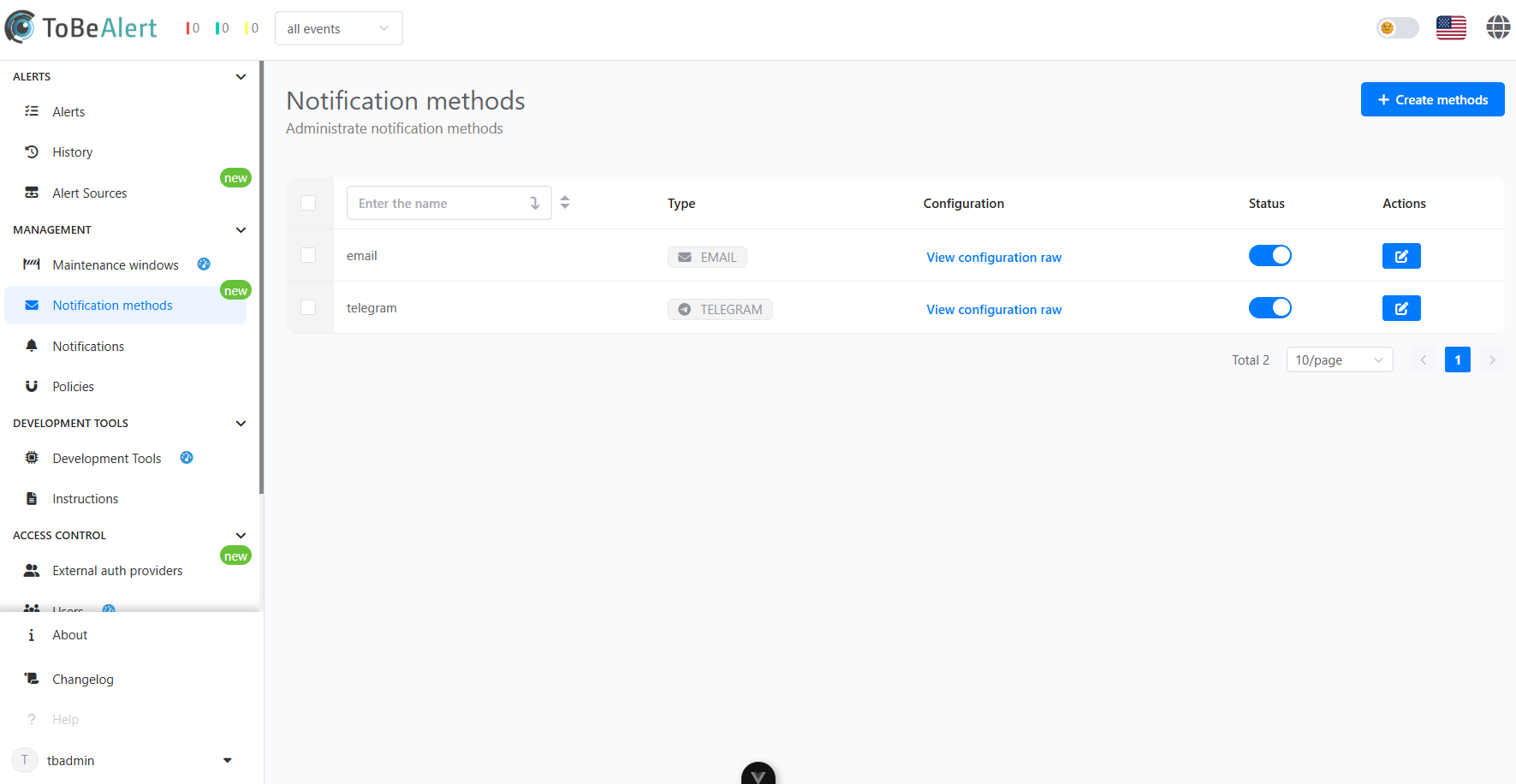
Notification methods define the channels through which ToBeAlert delivers alert messages to recipients. These methods include commonly used communication platforms such as email, Telegram, WhatsApp, and more.
By supporting multiple delivery options, ToBeAlert ensures that alerts can reach the right people, through the right medium, at the right time. Each method can be configured individually to match organizational preferences and technical requirements, enabling flexible and reliable alert distribution.
Creating and managing notification methods
Email
The Email notification method delivers alerts directly to users’ inboxes, providing a widely supported and easy-to-configure communication channel. It supports subject and body customization through templates, allowing clear and actionable messages to be sent in real time.
Creating an email notification method
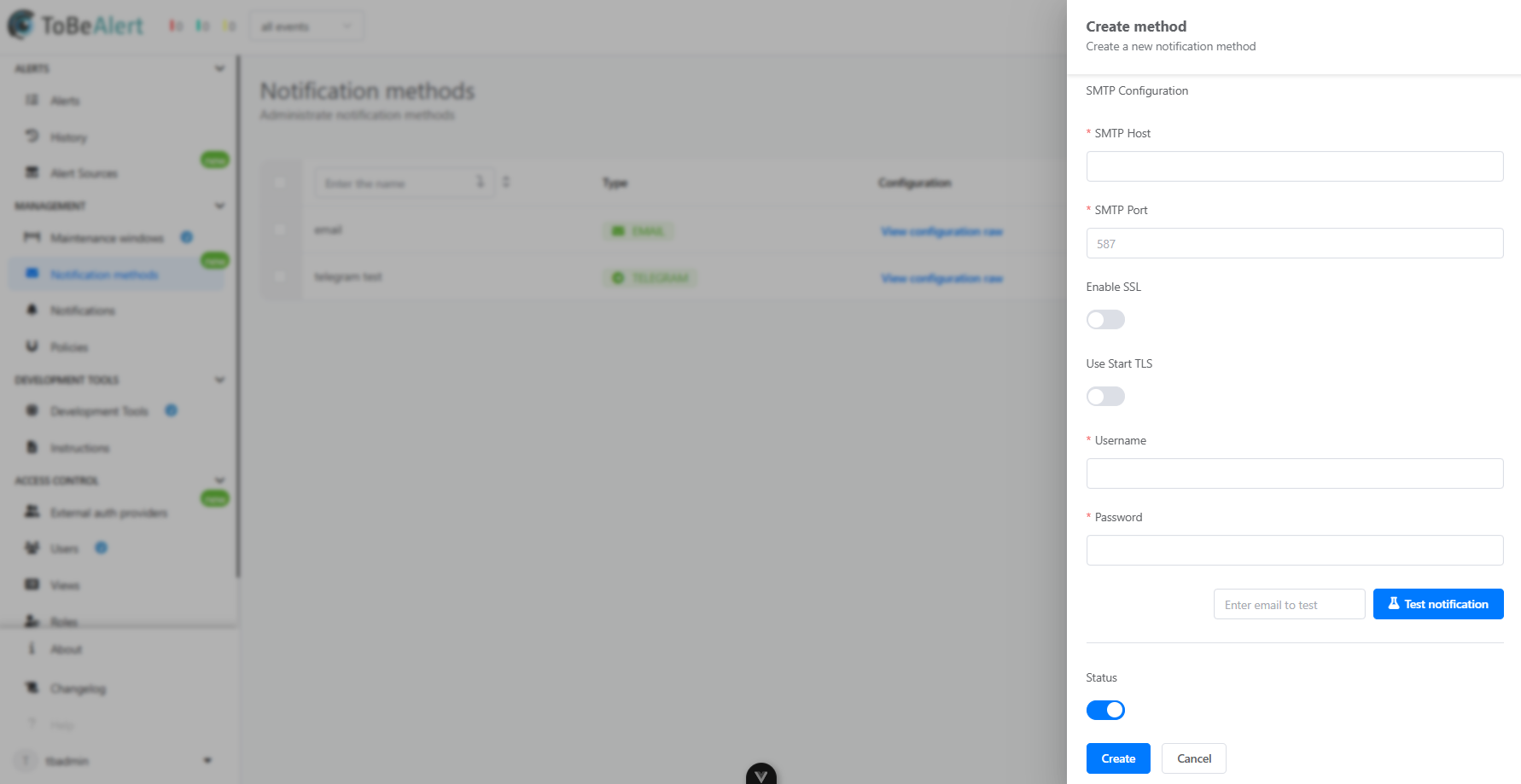
To create an email notification method:
- Click on the Create Method button
- Give the method a name and select "Email" as the method
- Fill the required information
- Test the notification to ensure it works (optional)
- Enter an email and click the Test Notification button
- Save the method configuration
Email properties
| Property | Description |
|---|---|
| SMTP Host | The address of the mail server used to send outgoing emails |
| SMTP Port | The network port through which the SMTP server communicates |
| Enable SSL | Enables SSL encryption for secure email transmission |
| Use Start TLS | Initiates encryption using the STARTTLS command over an unencrypted connection |
| Username | The account name used to authenticate with the SMTP server |
| Password | The corresponding password for SMTP authentication |
| Status | Whether the method is enabled or disabled |
Telegram
The Telegram notification method sends alerts through Telegram bots, making it suitable for teams that rely on this platform for internal communication. Notifications can be directed to individual users or group chats for collaborative incident response.
Creating a Telegram notification method
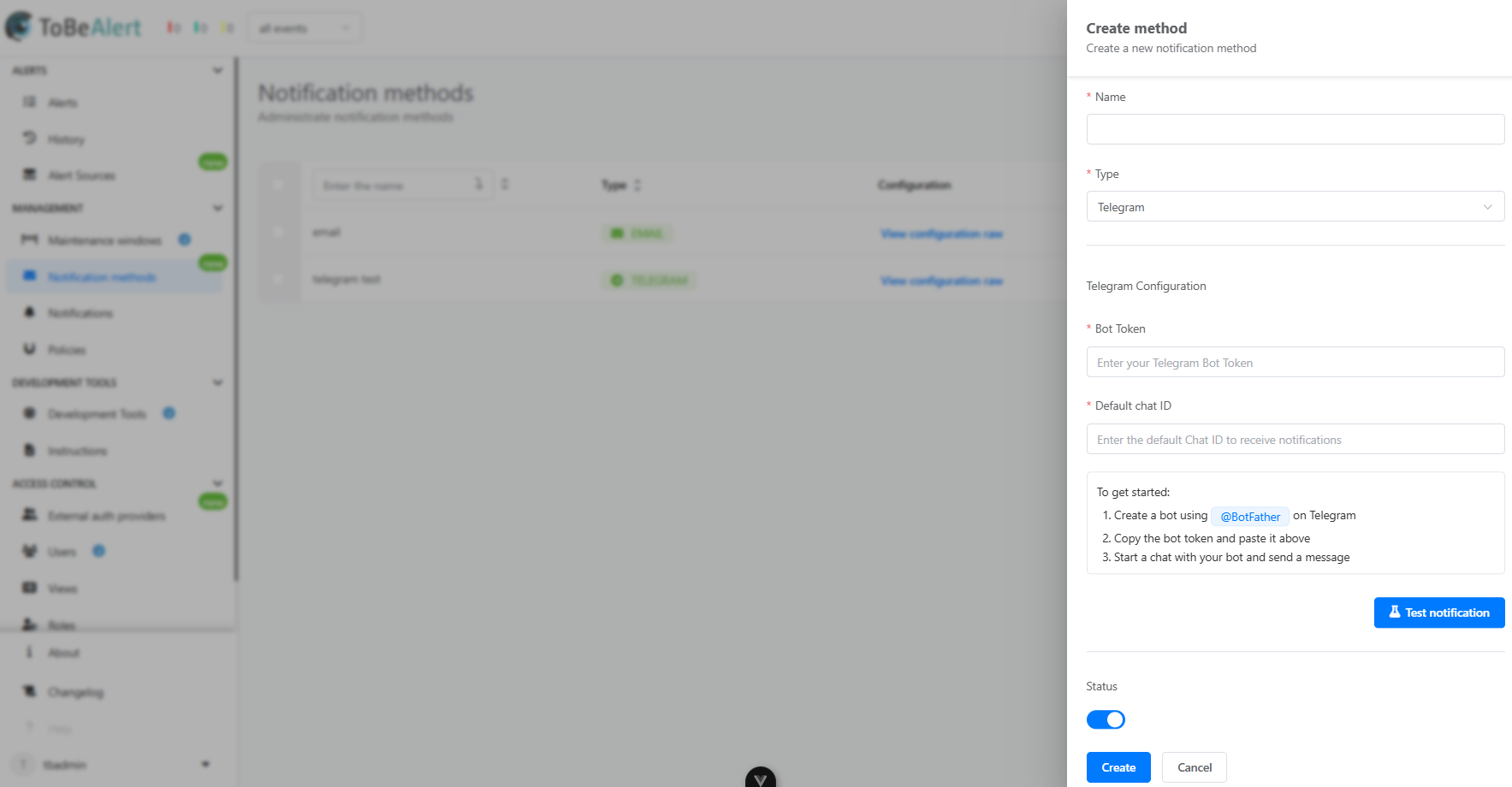
To create a Telegram notification method:
- Click on the Create Method button
- Give the method a name and select "Telegram" as the method
- Create a bot using
@BotFatheron Telegram - Fill the required information
- Test the notification to ensure it works (optional)
- Click the Test Notification button
- Save the method configuration
Telegram properties
| Property | Description |
|---|---|
| Bot Token | The authentication token provided by Telegram when creating a bot |
| Default Chat ID | The unique identifier of the user or group chat where notifications will be sent |
WhatsApp
The WhatsApp notification method enables alerts to be sent via the WhatsApp messaging platform, offering a fast and accessible way to reach on-call staff or mobile users.
Rest API
The REST API method allows alerts to be pushed to external systems via HTTP requests. This flexible integration approach supports custom headers, authentication, and payload formatting, enabling seamless interaction with third-party tools and automation platforms.
Custom
Custom notifications can be configured so that they execute user-defined scripts in response to alert events. This enables full control over the notification behavior and is ideal for complex or highly specific delivery scenarios.
Best practices
For effective notification method management:
- Choose channels based on urgency – Use instant messaging platforms for critical alerts, and email or API calls for less time-sensitive notifications.
- Avoid overload – Limit notifications to essential recipients to reduce alert fatigue and ensure that critical messages are not missed.
- Ensure reliability – Test each notification method during setup and periodically thereafter to confirm messages are being delivered as expected.
- Use fallback methods – Configure multiple notification methods where possible to ensure redundancy in case one channel fails.
- Format for readability – Adapt message templates to suit each delivery channel’s format and limitations, ensuring clarity and relevance.