Notifications
Overview
ToBeAlert’s notification system enables timely and targeted alert delivery through a flexible and configurable architecture. It is composed of three key components: Rules, Templates, and Groups. These elements define when and how alerts are communicated, the information they contain, and to whom they are sent.
This modular structure ensures that notifications are both actionable and aligned with the operational context of each alert.
Rules
Notification Rules define the conditions under which alerts trigger notifications. These rules evaluate attributes such as severity, source, or tags, and determine if and when a notification should be sent.
Creating a rule
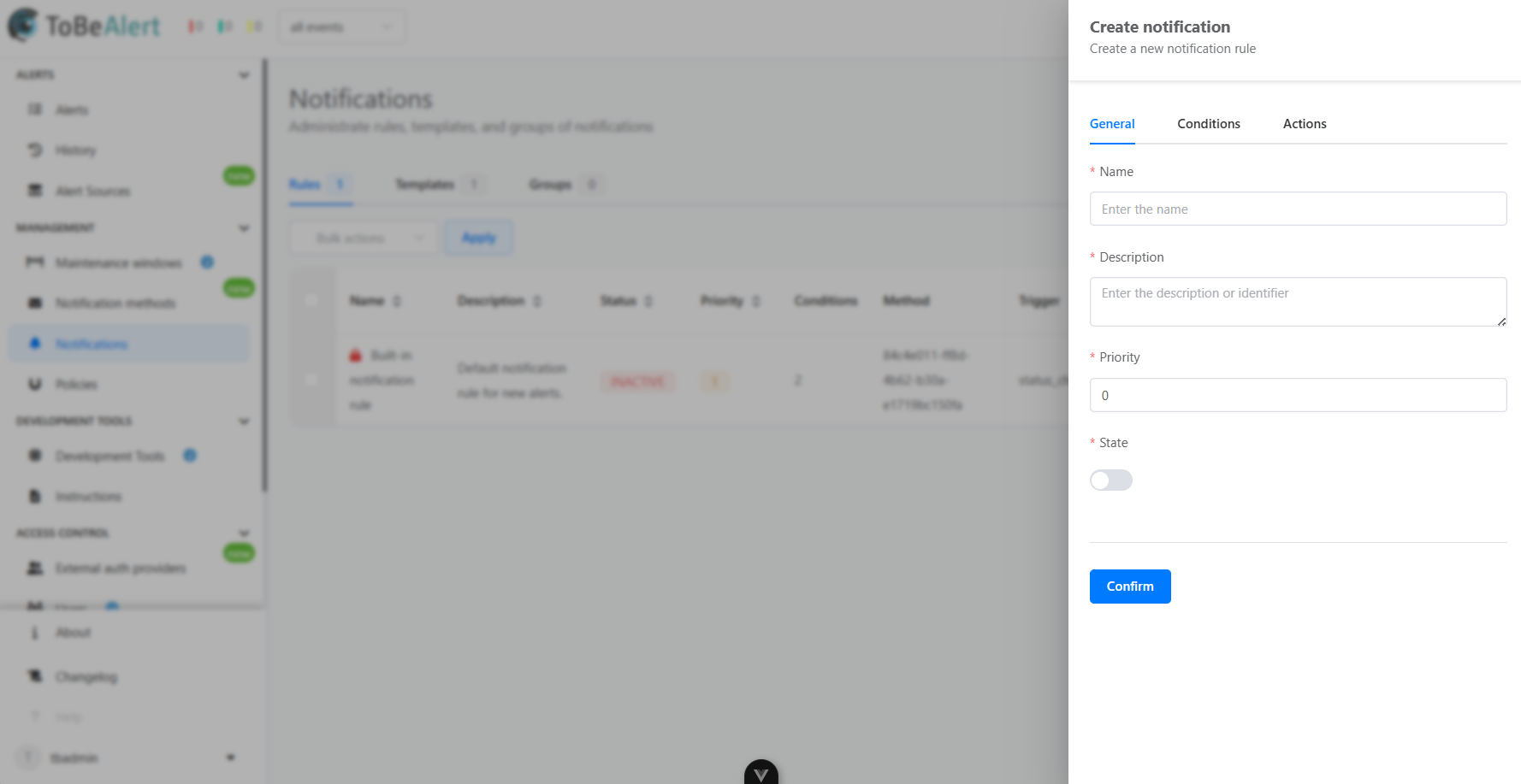
To create a notification rule navigate to the Notifications section:
- Select the Rules tab
- Click the Create rules button
- Fill in the information:
- General parameters
- Conditions
- Actions
- Save the rule configuration
Rule properties
General parameters
| Property | Description |
|---|---|
| Name | Name of the notification rule |
| Description | Additional information about the rule |
| Priority | The priority attribute determines the order in which notifications will be sent, starting from 0 upwards. |
| State | Whether the rule is active or inactive |
Conditions
| Property | Description |
|---|---|
| Condition | Parameters the alert must match for the rule to apply |
| Time range | Time during the rule is active |
| All day | Whether the rule is active all day |
| Trigger | Situation that will trigger the notification |
Actions
| Property | Description |
|---|---|
| Method | Type of notification |
| Group | Group of users to whom the notification will be sent |
Templates
Notification Templates control the content and formatting of alert messages. Templates allow customization of the subject and body using dynamic variables, enabling messages to convey relevant information clearly and consistently across communication channels such as email, SMS, or webhooks.
Creating a template
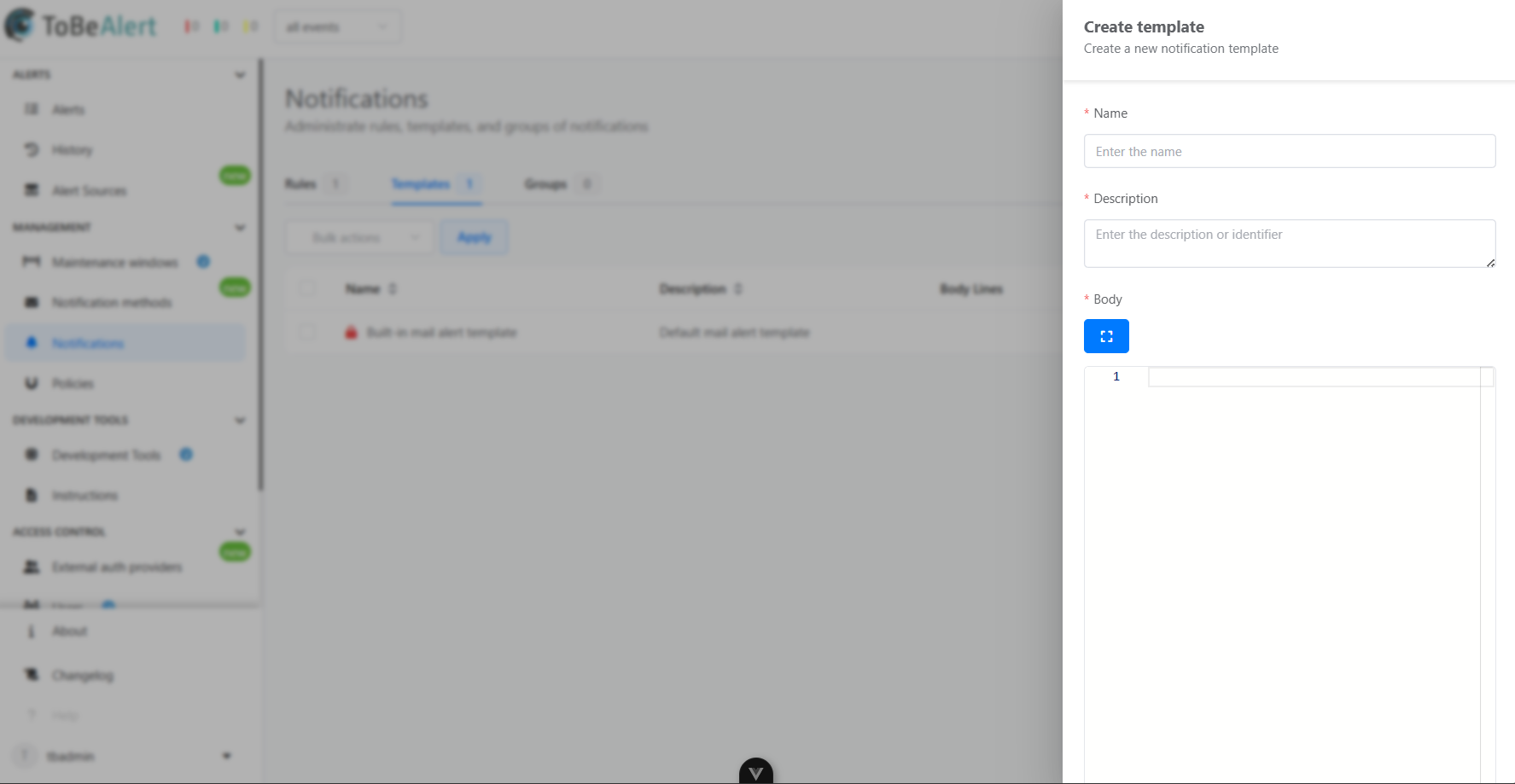
To create a notification rule template navigate to the Notifications section:
- Select the Templates tab
- Click the Create templates button
- Fill in the required information:
- Name
- Description
- Body
- Save the template configuration
Template properties
| Property | Description |
|---|---|
| Name | Name of the notification rule template |
| Description | Additional information about the template |
| Body | HTML code that will define the notification structure |
Groups
Notification Groups specify the recipients of alert messages. By organizing recipients into groups, ToBeAlert enables efficient targeting and management of alert dissemination.
Creating a group
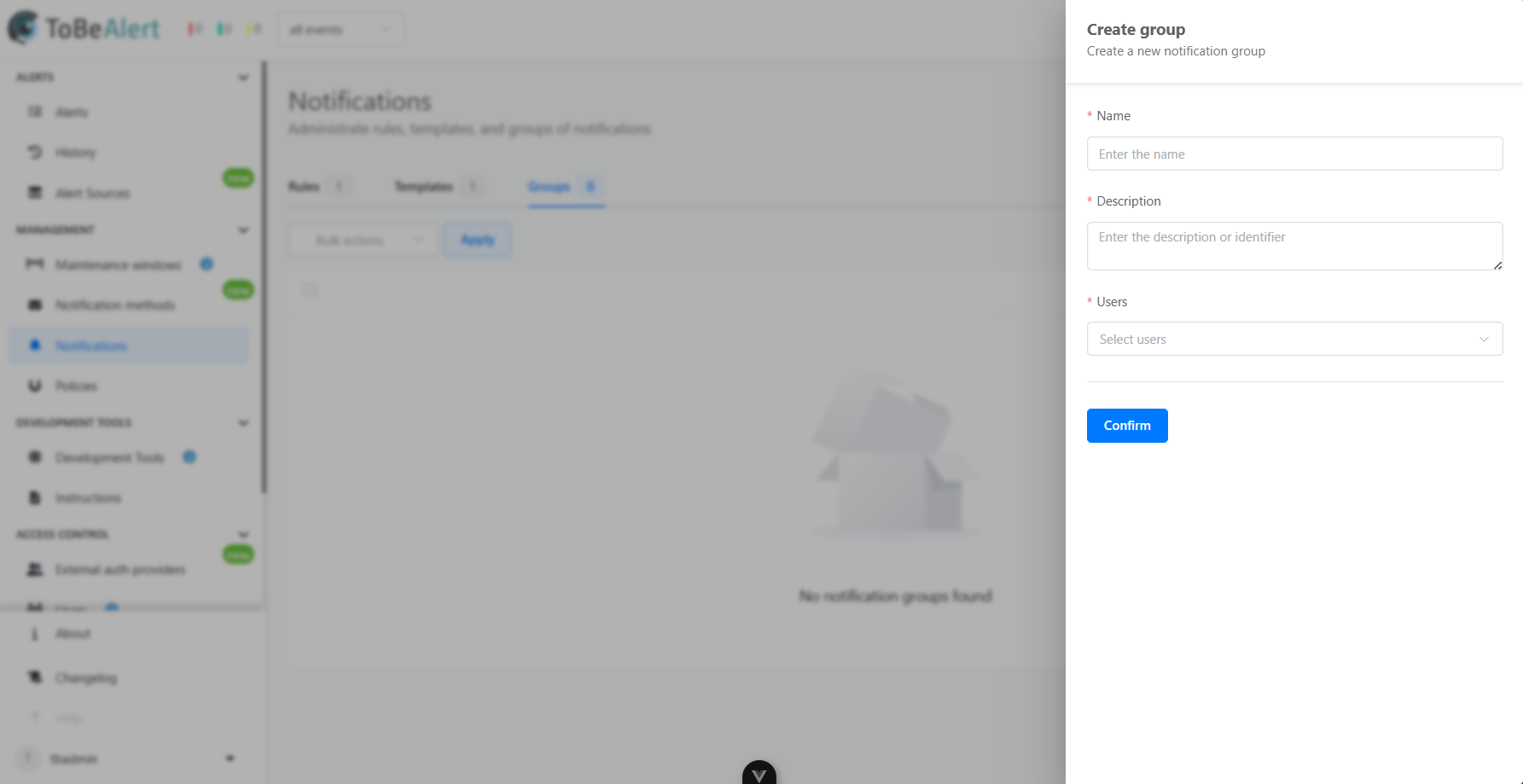
To create a notification group navigate to the Notifications section:
- Select the Groups tab
- Click the Create groups button
- Fill in the required information:
- Name
- Description
- Users
- Save the group configuration
Group properties
| Property | Description |
|---|---|
| Name | Name of the notification group |
| Description | Additional information about the group |
| Users | List of users that belong to the group |
Best practices
For effective notification management:
- Define clear criteria – Use precise Notification Rules to ensure that only relevant alerts generate notifications, avoiding unnecessary noise.
- Use severity filtering – Configure rules to prioritize high-severity alerts and reduce distraction from low-priority events.
- Group recipients logically – Organize Notification Groups by role, team, or responsibility to ensure alerts reach the appropriate stakeholders.
- Avoid duplication – Review overlapping rules and group memberships to prevent users from receiving multiple copies of the same notification.
- Review regularly – Periodically audit notification settings to align with changes in infrastructure, team structures, or incident response workflows.