Kubernetes
This guide explains how to deploy ToBeAlert on a Kubernetes cluster. Before starting, make sure your images are available in your cluster's container runtime.
The Kubernetes node (the server that runs the pods) must have at least 2.5 GB of RAM for installation, first startup, and later upgrades (image pull / rollout). Below that, Kubernetes can OOMKill or evict containers.
This is host/node memory. It is not the same as a pod resources.limits value — a container limit can be lower; the node still needs 2.5 GB of free-enough RAM or the kubelet will kill or evict pods.
Prerequisites
- A running Kubernetes cluster (tested with containerd via
ctr) kubectlconfigured to access your cluster- The
tobealert-frontendandtobealert-backendDocker images built locally or pulled from Docker Hub - Each node that runs ToBeAlert has at least 2.5 GB of RAM (see the warning above)
Directory structure
All Kubernetes manifests should be placed under a k8s/ directory:
k8s/
├── namespace.yaml           # (optional, created via CLI in the guide below)
├── persistent-volumes.yaml
├── postgres-deployment.yaml
├── backend-deployment.yaml
├── frontend-deployment.yaml
├── services.yaml
└── configmap.yaml           # (optional, for environment variables)
Step 1 — Import images into the cluster
If your images are built locally (not pushed to a registry), import them into containerd so Kubernetes can use them:
docker save tobealert-frontend:latest | sudo ctr -n k8s.io images import -
docker save tobealert-backend:latest  | sudo ctr -n k8s.io images import -
If you are pulling from Docker Hub, you can skip this step and reference the images directly in the manifests (e.g.
tobek8s/tobealert-backend:latest).
Step 2 — Create the namespace
kubectl create namespace tobealerta-interno
Step 3 — Apply the manifests
kubectl apply -f k8s/ -n tobealerta-interno
Manifest files
Persistent Volumes
ToBeAlert needs persistent storage for PostgreSQL data, tools, license, instructions, hotfix bundles (patches), and Redis. On OpenShift, the backend writes the patches directory group-writable for GID 0, so pods with a random UID keep working across restarts. Create the host directories first:
sudo mkdir -p \
  /tmp/postgres-tobealerta \
  /tmp/tobealerta-tools \
  /tmp/tobealerta-license \
  /tmp/tobealerta-instructions \
  /tmp/tobealerta-patches \
  /tmp/redis-tobealerta
Then apply the following manifest (k8s/persistent-volumes.yaml):
apiVersion: v1
kind: PersistentVolume
metadata:
  name: postgres-tobealerta-pv
spec:
  capacity:
    storage: 5Gi
  accessModes:
    - ReadWriteOnce
  hostPath:
    path: /tmp/postgres-tobealerta
---
apiVersion: v1
kind: PersistentVolumeClaim
metadata:
  name: postgres-tobealerta-pvc
  namespace: tobealerta-interno
spec:
  accessModes:
    - ReadWriteOnce
  resources:
    requests:
      storage: 5Gi
---
apiVersion: v1
kind: PersistentVolume
metadata:
  name: tobealerta-tools-pv
spec:
  capacity:
    storage: 1Gi
  accessModes:
    - ReadWriteOnce
  hostPath:
    path: /tmp/tobealerta-tools
---
apiVersion: v1
kind: PersistentVolumeClaim
metadata:
  name: tobealerta-tools-pvc
  namespace: tobealerta-interno
spec:
  accessModes:
    - ReadWriteOnce
  resources:
    requests:
      storage: 1Gi
---
apiVersion: v1
kind: PersistentVolume
metadata:
  name: tobealerta-license-pv
spec:
  capacity:
    storage: 100Mi
  accessModes:
    - ReadWriteOnce
  hostPath:
    path: /tmp/tobealerta-license
---
apiVersion: v1
kind: PersistentVolumeClaim
metadata:
  name: tobealerta-license-pvc
  namespace: tobealerta-interno
spec:
  accessModes:
    - ReadWriteOnce
  resources:
    requests:
      storage: 100Mi
---
apiVersion: v1
kind: PersistentVolume
metadata:
  name: tobealerta-instructions-pv
spec:
  capacity:
    storage: 100Mi
  accessModes:
    - ReadWriteOnce
  hostPath:
    path: /tmp/tobealerta-instructions
---
apiVersion: v1
kind: PersistentVolumeClaim
metadata:
  name: tobealerta-instructions-pvc
  namespace: tobealerta-interno
spec:
  accessModes:
    - ReadWriteOnce
  resources:
    requests:
      storage: 100Mi
---
apiVersion: v1
kind: PersistentVolume
metadata:
  name: tobealerta-patches-pv
spec:
  capacity:
    storage: 1Gi
  accessModes:
    - ReadWriteOnce
  hostPath:
    path: /tmp/tobealerta-patches
---
apiVersion: v1
kind: PersistentVolumeClaim
metadata:
  name: tobealerta-patches-pvc
  namespace: tobealerta-interno
spec:
  accessModes:
    - ReadWriteOnce
  resources:
    requests:
      storage: 1Gi
PostgreSQL
k8s/postgres-deployment.yaml
apiVersion: apps/v1
kind: Deployment
metadata:
  name: tobealerta-bbdd
  namespace: tobealerta-interno
spec:
  replicas: 1
  selector:
    matchLabels:
      app: tobealerta-bbdd
  template:
    metadata:
      labels:
        app: tobealerta-bbdd
    spec:
      containers:
        - name: postgres
          image: postgres:17.5-alpine
          # Tuning for a dedicated database node (adjust to the node's RAM; see Management → Diagnostics)
          args:
            - "-c"
            - "shared_buffers=1GB"
            - "-c"
            - "effective_cache_size=3GB"
            - "-c"
            - "work_mem=32MB"
            - "-c"
            - "maintenance_work_mem=256MB"
            - "-c"
            - "random_page_cost=1.1"
            - "-c"
            - "shared_preload_libraries=pg_stat_statements"
          env:
            - name: POSTGRES_USER
              value: "tobealert"
            - name: POSTGRES_PASSWORD
              value: "tobealert"
            - name: POSTGRES_DB
              value: "tobealert"
            - name: TZ
              value: "Europe/Madrid"
          ports:
            - containerPort: 5432
          volumeMounts:
            - name: postgres-data
              mountPath: /var/lib/postgresql/data
          readinessProbe:
            exec:
              command: ["pg_isready", "-U", "tobealert"]
            initialDelaySeconds: 5
            periodSeconds: 2
            failureThreshold: 5
      volumes:
        - name: postgres-data
          persistentVolumeClaim:
            claimName: postgres-tobealerta-pvc
---
apiVersion: v1
kind: Service
metadata:
  name: tobealerta-bbdd-svc
  namespace: tobealerta-interno
spec:
  selector:
    app: tobealerta-bbdd
  ports:
    - port: 5432
      targetPort: 5432
Redis
k8s/redis-deployment.yaml
apiVersion: apps/v1
kind: Deployment
metadata:
  name: tobealerta-redis
  namespace: tobealerta-interno
spec:
  replicas: 1
  selector:
    matchLabels:
      app: tobealerta-redis
  template:
    metadata:
      labels:
        app: tobealerta-redis
    spec:
      containers:
        - name: redis
          image: redis:latest
          ports:
            - containerPort: 6379
---
apiVersion: v1
kind: Service
metadata:
  name: tobealerta-redis-svc
  namespace: tobealerta-interno
spec:
  selector:
    app: tobealerta-redis
  ports:
    - port: 6379
      targetPort: 6379
Backend
k8s/backend-deployment.yaml
apiVersion: apps/v1
kind: Deployment
metadata:
  name: tobealerta-backend
  namespace: tobealerta-interno
spec:
  replicas: 1
  selector:
    matchLabels:
      app: tobealerta-backend
  template:
    metadata:
      labels:
        app: tobealerta-backend
    spec:
      containers:
        - name: backend
          image: tobek8s/tobealert-backend:latest
          imagePullPolicy: Never   # remove this line if pulling from a registry
          env:
            - name: ADMIN_USER
              value: "tbadmin"
            - name: ADMIN_PASSWORD
              value: "changeme"
            - name: DATABASE_URL
              value: "postgres://tobealert:tobealert@tobealerta-bbdd-svc:5432/tobealert"
            - name: REDIS_HOST
              value: "tobealerta-redis-svc"
            - name: REDIS_PORT
              value: "6379"
            - name: TZ
              value: "Europe/Madrid"
          ports:
            - containerPort: 9000
          volumeMounts:
            - name: tools
              mountPath: /tobealert/tools
            - name: license
              mountPath: /tobealert/license
            - name: instructions
              mountPath: /tobealert/instructions
            - name: patches
              mountPath: /tobealert/patches
            - name: config
              mountPath: /tobealert/config
      volumes:
        - name: tools
          persistentVolumeClaim:
            claimName: tobealerta-tools-pvc
        - name: license
          persistentVolumeClaim:
            claimName: tobealerta-license-pvc
        - name: instructions
          persistentVolumeClaim:
            claimName: tobealerta-instructions-pvc
        - name: patches
          persistentVolumeClaim:
            claimName: tobealerta-patches-pvc
        - name: config
          hostPath:
            path: /etc/tobealert/config
---
apiVersion: v1
kind: Service
metadata:
  name: tobealerta-backend-svc
  namespace: tobealerta-interno
spec:
  selector:
    app: tobealerta-backend
  ports:
    - port: 9000
      targetPort: 9000
Set ADMIN_PASSWORD before the first backend start. Changing it later does not update the stored password. See Bootstrap / ADMIN_PASSWORD.
Frontend
k8s/frontend-deployment.yaml
apiVersion: apps/v1
kind: Deployment
metadata:
  name: tobealerta-frontend
  namespace: tobealerta-interno
spec:
  replicas: 1
  selector:
    matchLabels:
      app: tobealerta-frontend
  template:
    metadata:
      labels:
        app: tobealerta-frontend
    spec:
      containers:
        - name: frontend
          image: tobek8s/tobealert-frontend:latest
          imagePullPolicy: Never   # remove this line if pulling from a registry
          env:
            - name: BASE_URL
              value: "http://localhost"
            - name: API_URL
              value: "http://localhost:9000"
            - name: BACKEND_SERVICE
              value: "tobealerta-backend-svc"
            - name: BACKEND_PORT
              value: "9000"
          ports:
            - containerPort: 8080
---
apiVersion: v1
kind: Service
metadata:
  name: tobealerta-frontend-svc
  namespace: tobealerta-interno
spec:
  selector:
    app: tobealerta-frontend
  ports:
    - port: 8080
      targetPort: 8080
Step 4 — Wait for rollout
kubectl rollout status deployment/tobealerta-backend  -n tobealerta-interno --timeout=3m
kubectl rollout status deployment/tobealerta-frontend -n tobealerta-interno --timeout=3m
kubectl get pods -n tobealerta-interno
Step 5 — Verify the deployment
Wait for all pods to be ready
kubectl wait --for=condition=ready pod -l app=tobealerta-backend  -n tobealerta-interno --timeout=60s
kubectl wait --for=condition=ready pod -l app=tobealerta-frontend -n tobealerta-interno --timeout=60s
Check backend health
Open a temporary port-forward to test the backend:
kubectl port-forward service/tobealerta-backend-svc -n tobealerta-interno 9000:9000 --address 0.0.0.0 &
sleep 3
curl -sSL http://localhost:9000/api/health
GET /api/health needs no login and answers 200 when the database, Redis and the Celery workers respond, 503 otherwise. Use it for Kubernetes probes and external monitors (/api/management/healthcheck still exists for the Status page); see External health endpoint. To let the kubelet restart or un-route an unhealthy backend, add probes to the backend container in k8s/backend-deployment.yaml:
          readinessProbe:
            httpGet:
              path: /api/health
              port: 9000
            initialDelaySeconds: 20
            periodSeconds: 15
          livenessProbe:
            httpGet:
              path: /api/health
              port: 9000
            initialDelaySeconds: 60
            periodSeconds: 30
            failureThreshold: 3
Keep the deep mode (?deep=1, token-protected) for an external monitor polled every few minutes, not for the kubelet.
Check the frontend
kubectl port-forward service/tobealerta-frontend-svc -n tobealerta-interno 8005:8080 --address 0.0.0.0 &
sleep 3
curl -sSfLk http://localhost:8005 | grep -oP "<title>.*"
Check backend logs
POD=$(kubectl get pods -l app=tobealerta-backend -n tobealerta-interno -o jsonpath='{.items[0].metadata.name}')
kubectl logs "$POD" -n tobealerta-interno
Useful commands
# See all resources in the namespace
kubectl get all -n tobealerta-interno

# Describe a deployment (useful when pods won't start)
kubectl describe deployment tobealerta-backend -n tobealerta-interno

# Tail logs in real time
kubectl logs -f deployment/tobealerta-backend -n tobealerta-interno

# Restart a deployment (picks up new image or config changes)
kubectl rollout restart deployment tobealerta-backend  -n tobealerta-interno
kubectl rollout restart deployment tobealerta-frontend -n tobealerta-interno
Rollouts and image pulls also need the 2.5 GB node RAM minimum. A tight node can OOMKill or evict pods during an upgrade even if they were running before.
Teardown
To remove everything cleanly:
kubectl delete namespace tobealerta-interno
kubectl delete pv \
  postgres-tobealerta-pv \
  tobealerta-tools-pv \
  tobealerta-license-pv \
  tobealerta-instructions-pv \
  tobealerta-patches-pv
And if you open a browser and go to your BASE_URL you will be greeted with this window:
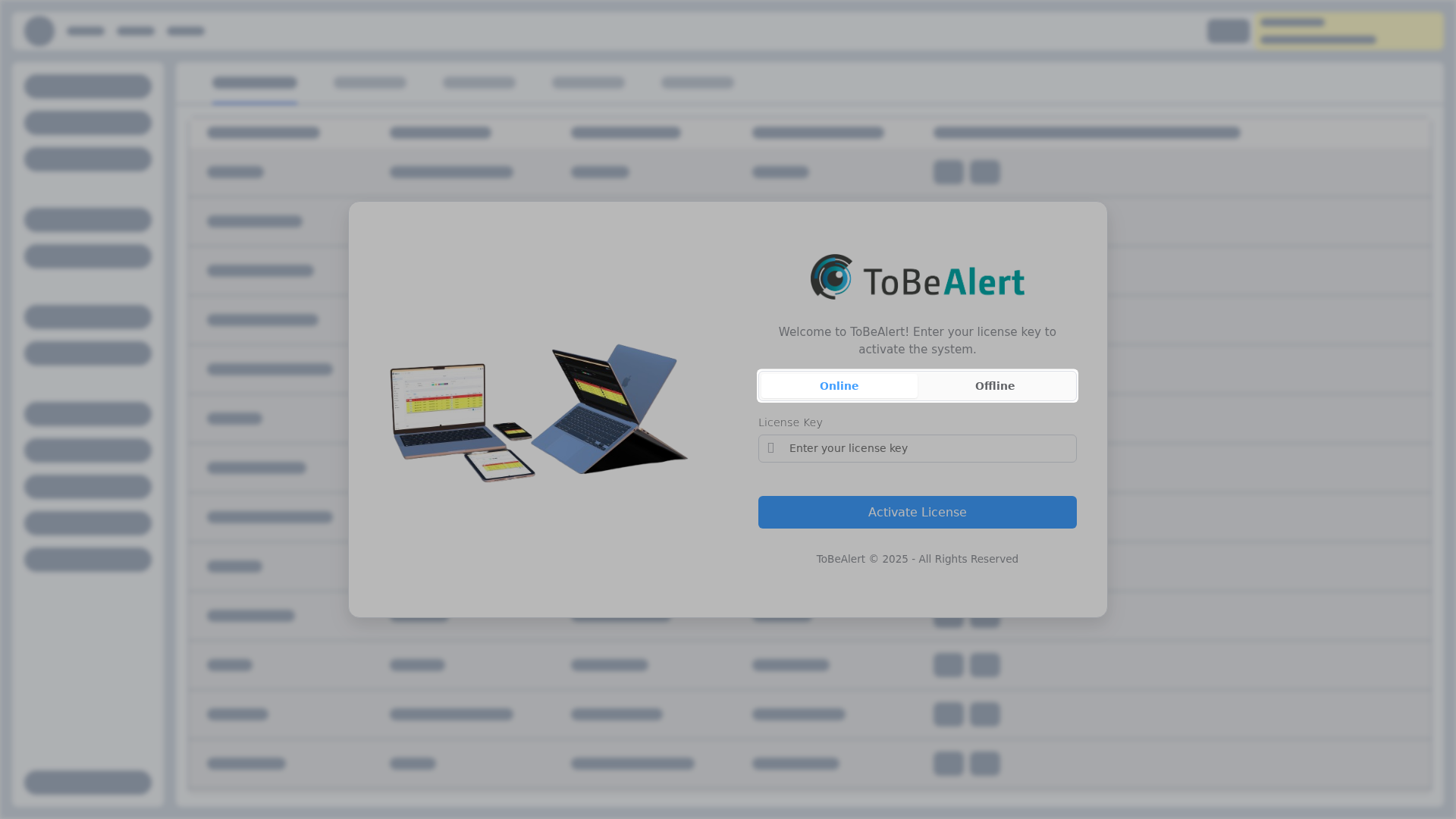
Complete License setup there: Online (license key) when the host can reach the licensing server, or Offline (license file) on air-gapped sites.
HTTPS
The frontend pod serves HTTP on port 8080. To publish https://your-domain:
- Set frontend
BASE_URLtohttps://your-domainandAPI_URLtohttps://your-domain:<backend-port>. - Mount the PEM certificate and key into the backend pod and set
SSL_CERT/SSL_KEY(HTTPS on the backend port). - Put an nginx TLS proxy in front of the frontend Service (port 443 → frontend 8080), using the same certificate files.
The Docker Compose procedure with a ready https.conf is in HTTPS and TLS. Use that proxy config; point proxy_pass at the frontend Service instead of tobealert-frontend:8080.
Configuration reference
For environment variables, tobealertd.conf, and how they map to Kubernetes manifests, see Settings & environment variables.