Instructions from alerts
Route: Alerts dashboard /dash → context menu → Instructions; opens /instructions/wiki/<resolved-path> in a new tab
Operators use Instructions on an alert to open the matching wiki runbook without searching the tree. Which file opens is controlled by Instruction Link Template in Backend Config.
See also: Overview · Wiki and editing · Configuration settings
Open instructions from an alert
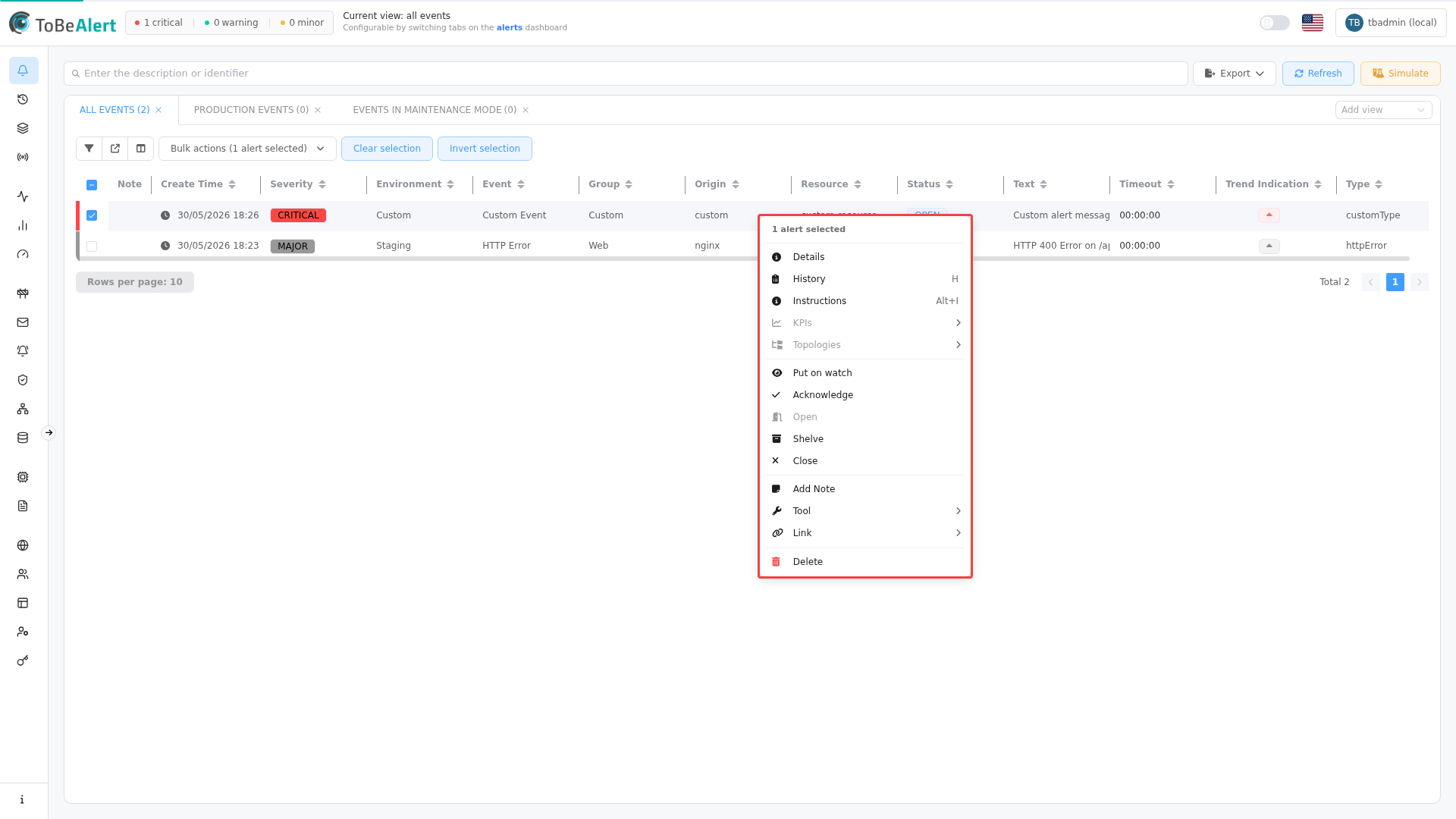
- On the alerts table, right-click an alert row (exactly one alert must be selected for Instructions to be enabled).
- In the context menu, choose Instructions (under info actions, alongside Details, History, and others). Keyboard shortcut: Alt+I.
- ToBeAlert opens a new browser tab with the resolved wiki page in view mode.
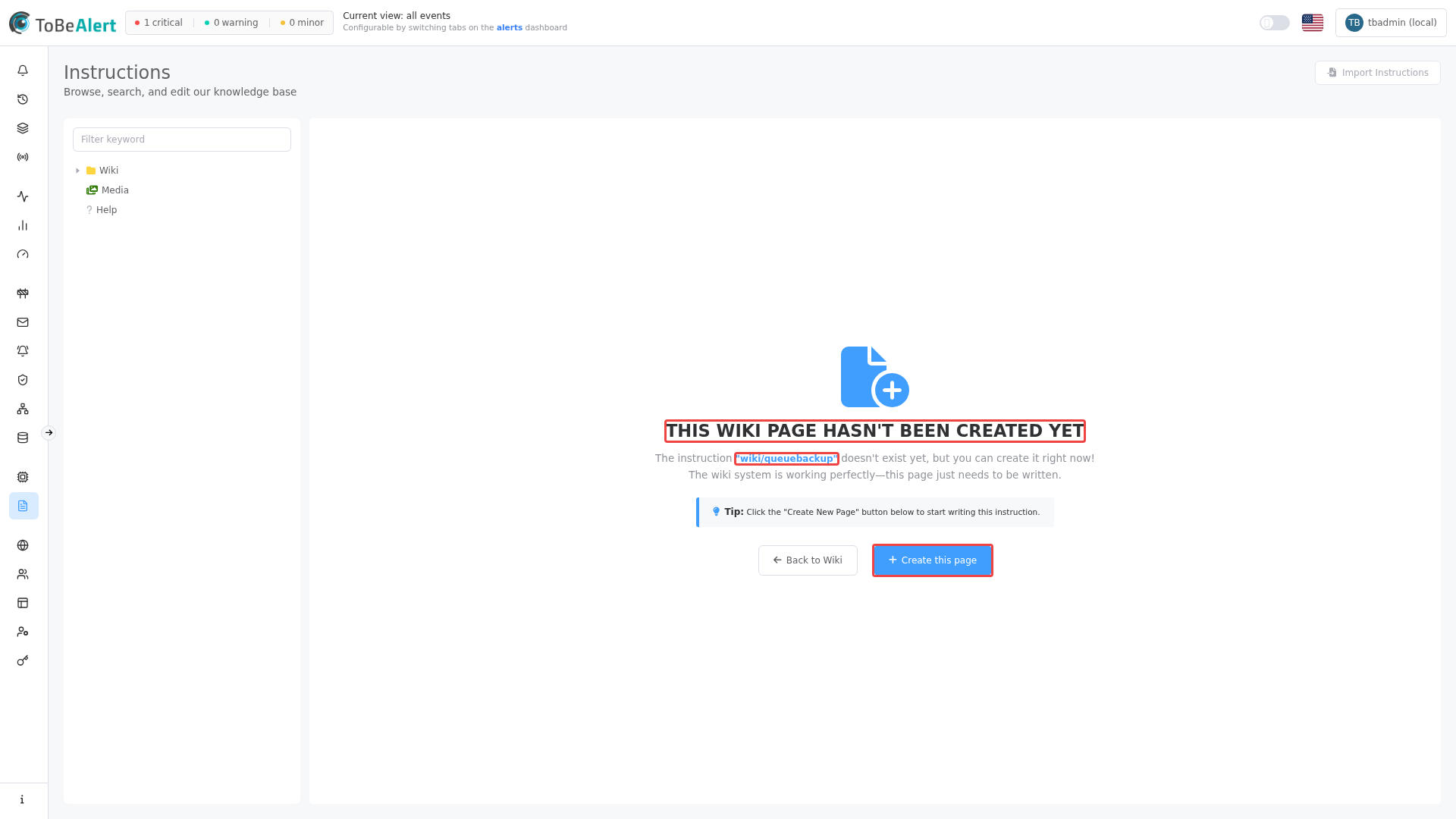
If no file exists for the resolved path, the tab shows the not-created state so an administrator can Create this page.
When a matching wiki file already exists, the new tab opens that runbook in view mode — see Wiki and editing — View mode.
The alerts context menu also lists tools and other actions depending on license and permissions; see Running tools on alerts and Policies modifiers and tools.
Instruction Link Template
Configure the template under Management → Backend Config → Configuration in the Instructions category:
| Field | Purpose |
|---|---|
| Instruction Link Template | Builds the wiki file path from alert fields when Instructions is clicked |
The template supports placeholders such as `${event}`, `${resource}`, `${severity}`, and `${attributes.<key>}` (for example `${attributes.namespace}`).
Example template:
${resource}_${attributes.namespace}_${event}
For an alert with resource=db-01, attributes.namespace=prod, and event=DiskFull, ToBeAlert opens a path equivalent to:
/instructions/wiki/db-01_prod_diskfull
Authors should create the matching .md file under Wiki — see Wiki and editing — Create a wiki file. Field values are normalized to lowercase with non-alphanumeric characters replaced by underscores.
If configuration cannot be read, the product falls back to `${event}` — a single segment matching the alert event field.
Relationship to policies and tools
| Feature | Purpose |
|---|---|
| Instructions (this module) | Human-readable Markdown runbooks |
| Execute custom tool on policies | Runs configured scripts against matching alerts |
Tools at /tools | Develop and manage automation tools |
Runbooks explain what to do; custom tools do automated steps. Both can complement the same incident type.
Best practices
- Template workshop — Agree one naming scheme with alert normalization and wiki authors.
- Smoke-test each new alert type — Click Instructions on a sample alert before go-live.
- Document missing pages — Treat “page not created” as a coverage gap, not an operator error.
- Keep templates stable — Changing the template orphanizes existing file names until you migrate wiki paths.
- Cross-link Backend Config docs — Store the canonical template string in change-management records.