Overview
Instructions is ToBeAlert’s built-in knowledge base for operator runbooks. Pages are Markdown files organized in a folder tree, with a separate Media area for images and videos referenced from runbooks. Operators open the right page from an alert or browse the tree under Tools → Instructions.
| Step | What you configure | Menu / route | Documentation |
|---|---|---|---|
| 1 | Wiki and editing — tree, runbook pages, Markdown editor, Share with link | Tools → Instructions → /instructions | Wiki and editing |
| 2 | Media — upload images/videos for embeds | Media root in the tree | Media library |
| 3 | From alerts — which page opens per alert | Alert → Instructions; template in Backend Config | Instructions from alerts |
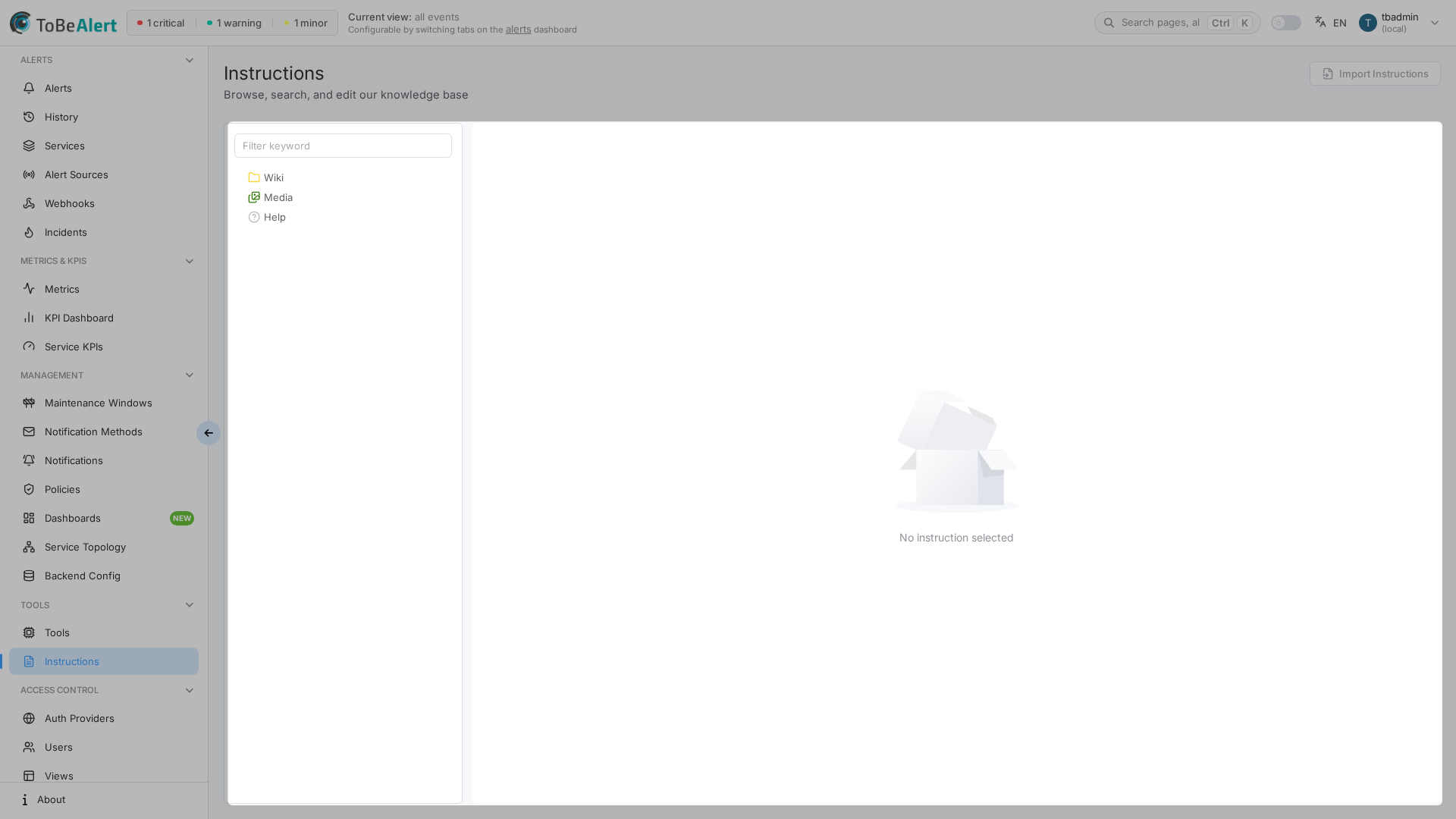
Where to find it in the UI
In the sidebar under Tools:
- Instructions →
/instructions
The page title is Instructions with the description Browse, search, and edit our knowledge base.
The left tree has three roots (Wiki, Media, Help), a Filter keyword search box, and context menus on folders and files. Wiki and editing covers navigation, CRUD, the editor, and sharing; Media library covers uploads and previews.
Any signed-in user can see Instructions (/instructions) and list or open wiki pages and media. There is no read:instructions. Create, edit, move, upload, and delete require write:instructions. There is no delete:instructions. admin:instructions includes write. Edit instruction, Save, and Create need write:instructions (not a built-in administrator role). Share with link needs write:share_instructions, which is independent of write. Public shared URLs (/shared-instruction/…) do not require login. If toolbar actions are missing, contact your administrator. See Permissions reference — Instructions.
How instructions fit together
- An administrator sets Instruction Link Template under Management → Backend Config (see Instructions from alerts).
- Authors create matching
.mdfiles under Wiki and upload assets under Media. - On-call engineers open Instructions from an alert or browse the tree to read runbooks.
Help pages ship with the product. They appear in the same tree but cannot be edited or deleted from the instructions UI.
License and demo mode
Creating or changing wiki content, folders, media uploads, moves, and deletes require the instructions feature to be enabled on your license. If creation fails with a permission or license message, contact your administrator.
In demo mode, write operations may be blocked even when buttons are visible.
Related modules
| Module | Relationship |
|---|---|
| Instructions from alerts | Instructions action on the alerts table |
| Configuration settings | Instruction Link Template |
| Policies | Optional Execute custom tool on alerts (separate from runbooks) |
| Tools overview | Custom automation tools at /tools (not wiki pages) |
| Users, roles and permissions | Viewing is public (no read:instructions). Mutate = write:instructions; admin:instructions includes write. Share = write:share_instructions; admin of links = admin:share_instructions. No delete:instructions |
Best practices
- Follow the step table — Set up the tree and runbooks, add media, then test from a real alert.
- One topic per page — Short, focused runbooks are easier to open under incident pressure.
- Review Help vs Wiki — Product help lives under Help; team procedures belong under Wiki.
- Use Wiki and editing as your main guide — Tree, editor, preview, and share links are on one page so you can read them in order.