Media library
Route: /instructions (select files under the Media root)
The Media tree stores images and videos you embed in wiki runbooks. Files are organized in folders similar to Wiki, but content is binary media rather than Markdown.
See also: Overview · Wiki and editing
Tree actions
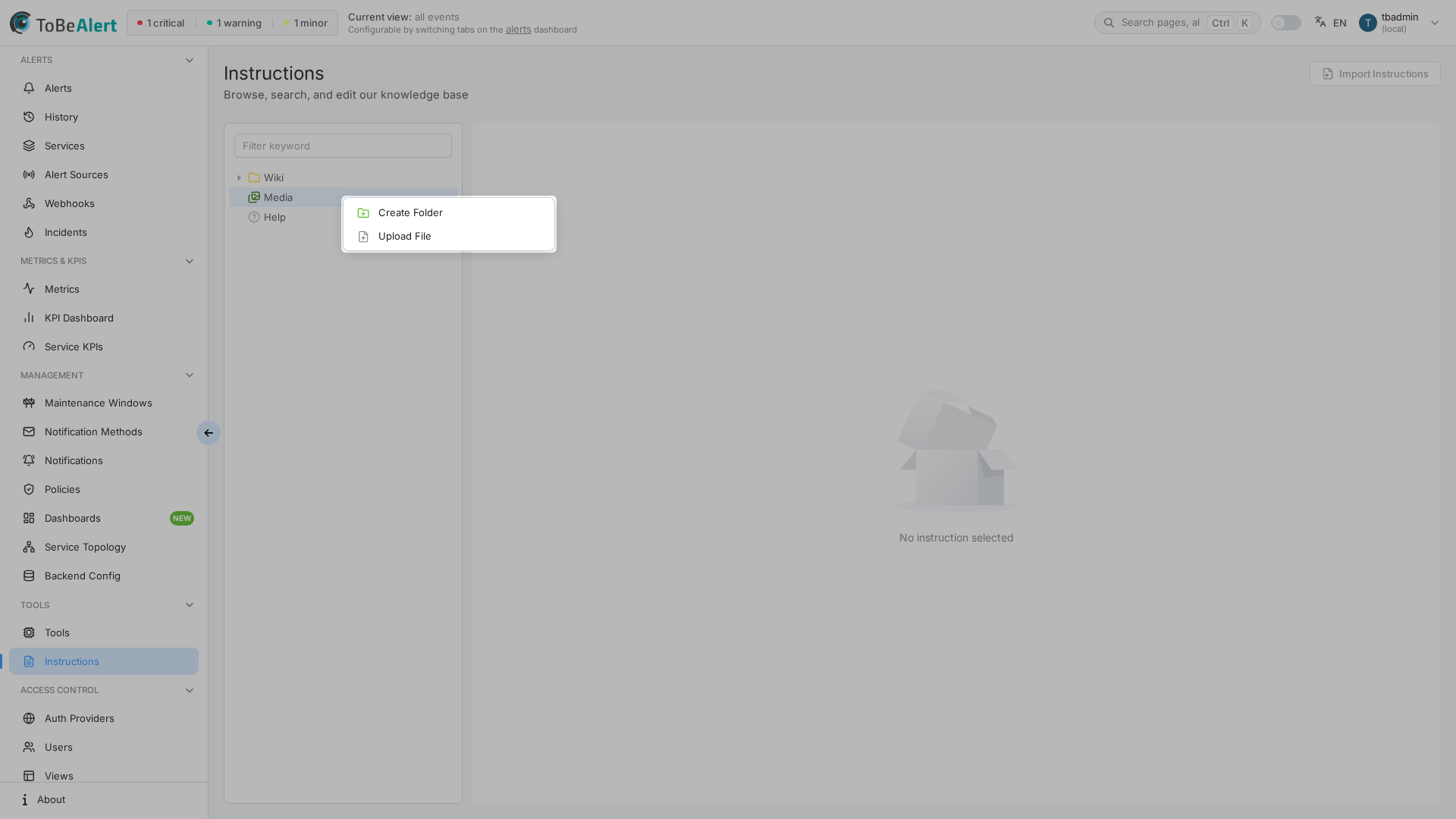
Right-click the Media root or a media subfolder:
| Action | When shown |
|---|---|
| Create Folder | Media folder selected; write access |
| Upload File | Media folder selected (not a file); write access |
Right-click a selected media file:
| Action | When shown |
|---|---|
| Download File | File selected |
| Delete | Deletable file; write:instructions |
| Delete keep file | keep.md placeholder selected; write access |
Click an image or video file to open Image Preview or Video Preview. Drag a file onto another Media folder to move it within the media tree.
Create a media folder
Requires write:instructions.
- In the tree, select a Media folder (not a file).
- Right-click and choose Create Folder.
- Enter a folder name (letters, numbers,
-,_,/only). - Press Enter or click outside the input to confirm.
If the name is invalid or already exists, the UI shows Invalid folder name or Folder already exists.
Upload a file
- Under Media, right-click the target folder (or the Media root).
- Choose Upload File.
- Select a file from your computer.
File names may contain only letters, numbers, spaces, and the characters -, _, .. Invalid names show Only letters, numbers, spaces, and the characters -, _, . are allowed in the file name.
After upload, the tree refreshes and the new file appears under the folder.
Preview dialog
Clicking a media file opens a large preview dialog with the file name in the footer. Use Close to dismiss. The URL may include a media query parameter while the dialog is open.
Videos (for example .mp4, .webm, .ogg) play with standard browser controls.
keep.md placeholders
As with Wiki, empty media folders may show a dimmed keep.md entry. Use Delete keep file from the context menu to remove the placeholder when appropriate.
Embed in wiki pages
Reference media from Markdown in wiki pages using the product’s media URL pattern for your deployment. Authors typically upload first, then paste or write the reference in the runbook editor. See Wiki and editing — Markdown and media references.
Best practices
- Descriptive file names — Easier to find in the tree and audit (
disk-cleanup-step3.png). - Reasonable file size — Large videos slow previews and downloads for operators.
- Same folder per service — Mirror wiki folder structure where possible.
- Do not delete in-use assets — Broken images in runbooks confuse on-call staff.