Notification methods
Route: /notifications-methods
A method defines how messages are sent (SMTP server, Telegram bot token, etc.). Rules only reference an existing method; they do not duplicate channel credentials.
See also: Overview · Notification rules
Types available in the UI
| Type | UI status | Notes |
|---|---|---|
| Enabled | SMTP + test send | |
| Telegram | Enabled | Bot token + default chat ID + test |
The Type dropdown currently only lists Email and Telegram — other channel types (WhatsApp, REST API, custom scripts) are not offered.
Create a method
- Open Management → Notification methods (
/notifications-methods). - Optionally click Refresh in the page header to reload the list.
- Click Create notification method (or the empty dashed card when the list is empty).
- Fill in Name, Type, and Status (enabled/disabled toggle).
- Complete type-specific configuration (see below). Configuration fields appear after you choose a type.
- Optional: Test notification.
- Save (Create / Update).
Methods are shown as cards in a responsive grid (not a data table), one per method:
| Element | Description |
|---|---|
| Icon | Brand icon for the method type |
| Name | Method name, with type in parentheses |
| Status | Active / inactive chip |
| Edit / Delete | Per-card actions (with permission) |
| View configuration raw | Opens JSON with masked passwords |
Use Search notification methods... to filter. Pagination (Total, page size 12/24/48) sits below the grid. There is no bulk-action bar — actions are per card.
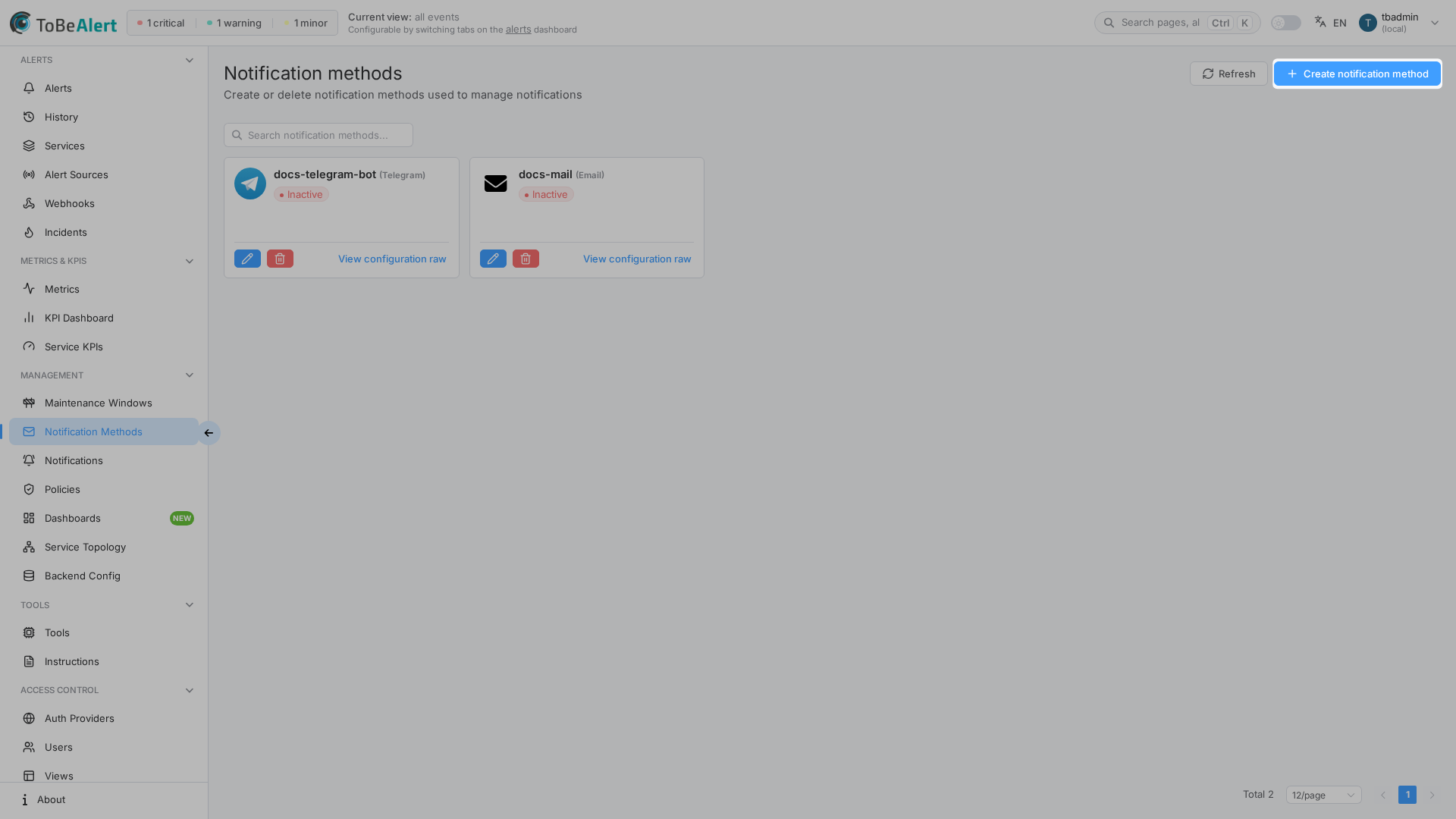
Email
The Email method delivers alerts to users’ inboxes. Subject and body can be customized further in notification rules using templates.
Configuration fields
| Field | Description |
|---|---|
| SMTP Host | Outbound mail server |
| SMTP Port | Port (e.g. 587) |
| Enable SSL | SSL encryption |
| Use Start TLS | STARTTLS |
| Username / Password | SMTP credentials |
| Status | Whether the method is enabled |
Setup steps
- Click Create notification method.
- Set a name and select Email.
- Fill SMTP settings.
- Optional: enter a test email and click Test notification.
- Save.
Use Test notification to verify delivery before you rely on this method in production.
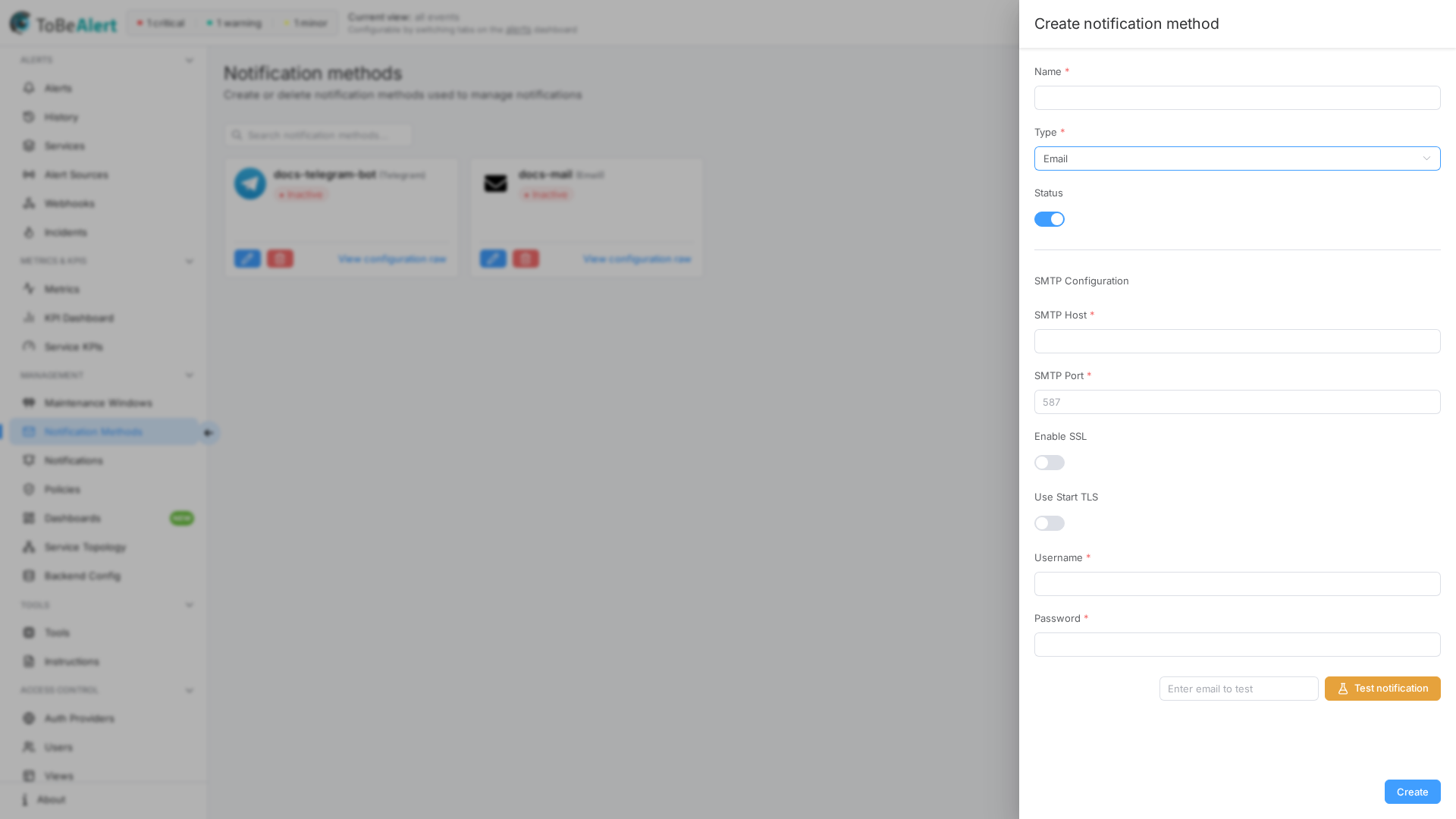
Telegram
The Telegram method sends alerts via a bot. Suitable for team channels and on-call chat.
Configuration fields
| Field | Description |
|---|---|
| Bot Token | Token from @BotFather |
| Default chat ID | Default user or channel chat ID |
Setup steps
- Create a bot with
@BotFatheron Telegram. - Copy the bot token into the form.
- Start a chat with the bot and send a message to obtain the chat ID.
- Optional: Test notification.
- Save.
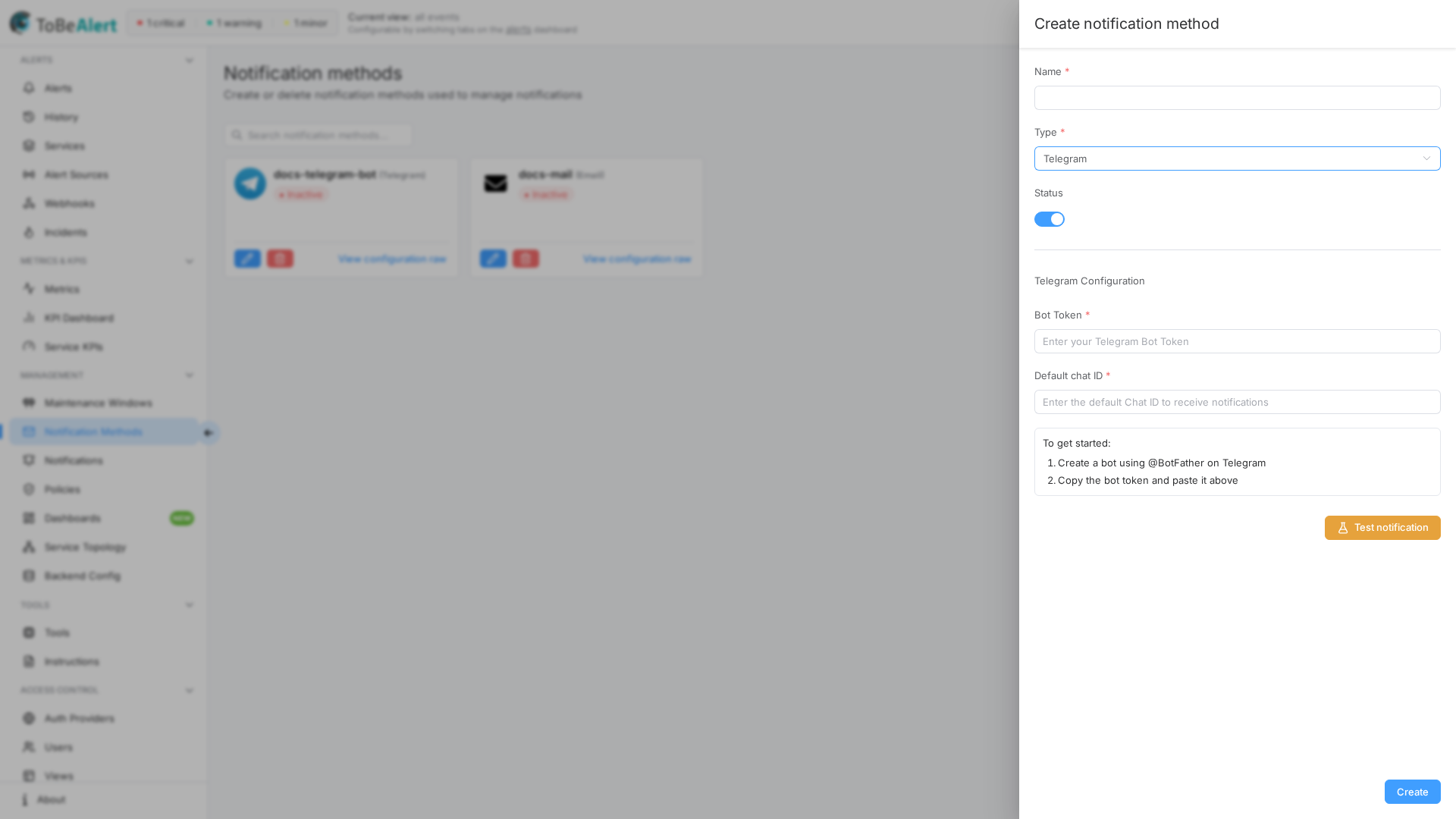
Message configuration (Telegram)
On the method or on a rule, enable Message Configuration to override the default test message:
| Option | Description |
|---|---|
| Message Format | HTML or Markdown (default: HTML) |
| Use Template | Pick a template |
| Custom Message | Free-text body with %fieldName% placeholders |
When HTML is selected, use Telegram HTML markup — not arbitrary HTML.
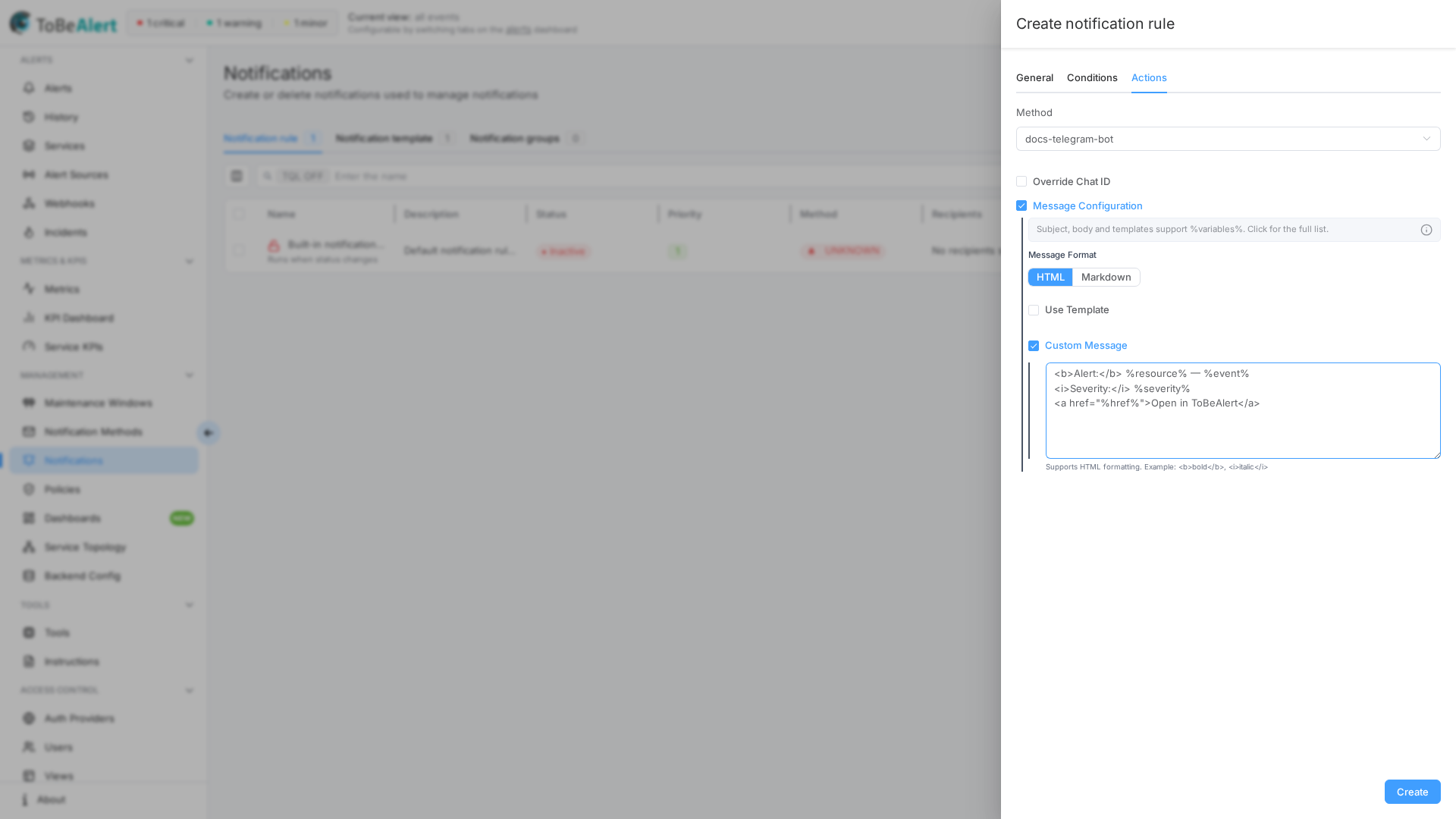
Telegram HTML markup
Telegram HTML format uses a custom markup subset, not full HTML. ToBeAlert passes the message to Telegram with parse mode HTML; unsupported tags may be stripped or cause delivery errors.
| Tag | Effect |
|---|---|
<b>, <strong> | Bold |
<i>, <em> | Italic |
<u>, <ins> | Underline |
<s>, <strike>, <del> | Strikethrough |
<tg-spoiler>, <span class="tg-spoiler"> | Spoiler |
<a href="URL">text</a> | Link |
<code> | Inline code |
<pre> | Code block |
<pre><code class="language-python"> | Syntax-highlighted block |
Notification templates support rich HTML for email. The template Preview pane renders standard HTML. When the same template is sent through Telegram with Message Format → HTML, only the tags above are honored. For rich email layout and simple Telegram text, maintain separate templates or use Custom Message with Telegram-safe markup.
Example custom message (HTML format):
<b>Alert:</b> %resource% — %event%
<i>Severity:</i> %severity%
<a href="%href%">Open in ToBeAlert</a>
For Markdown format, use Telegram Markdown instead (for example *bold*, _italic_, [link](url)).
Other channel types
Only Email and Telegram are available today; other channel types (WhatsApp, REST API, custom scripts) do not appear in the Type dropdown.
Best practices
- Choose channels by urgency — instant messaging for critical alerts; email for less time-sensitive traffic.
- Avoid overload — limit who receives notifications to reduce alert fatigue.
- Test during setup and after credential changes.
- Use fallback methods where possible (e.g. email + Telegram).
- Reuse one method per environment instead of duplicating SMTP settings on every rule.