Notification methods
Route: /notifications-methods
A method defines how messages are sent (SMTP server, Telegram bot token, etc.). Rules only reference an existing method; they do not duplicate channel credentials.
See also: Overview · Notification rules
Types available in the UI
| Type | UI status | Notes |
|---|---|---|
| Enabled | SMTP + test send | |
| Telegram | Enabled | Bot token + default chat ID + test |
| Disabled (coming soon) | — | |
| REST API | Disabled (coming soon) | — |
| Custom (via script) | Disabled (coming soon) | — |
Create a method
- Open Management → Notification methods.
- Click Create notification method.
- Fill in Name, Type, and Status (enabled/disabled toggle).
- Complete type-specific configuration (see below).
- Optional: Test notification.
- Save.
Table actions: edit, bulk enable/disable, view Configuration (raw JSON with masked passwords), delete (requires admin permission on methods).
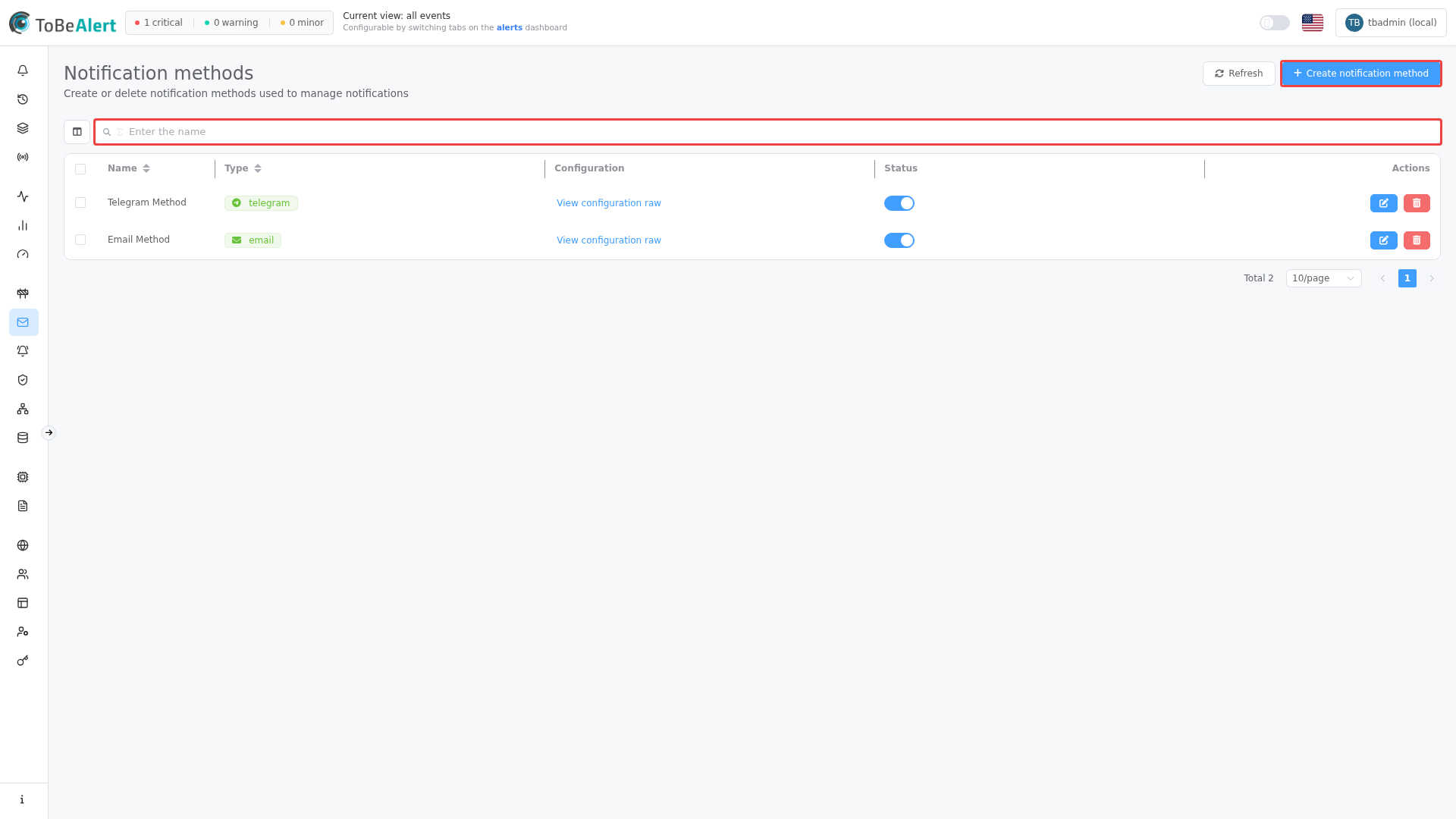
Email
The Email method delivers alerts to users’ inboxes. Subject and body can be customized further in notification rules using templates.
Configuration fields
| Field | Description |
|---|---|
| SMTP Host | Outbound mail server |
| SMTP Port | Port (e.g. 587) |
| Enable SSL | SSL encryption |
| Use Start TLS | STARTTLS |
| Username / Password | SMTP credentials |
| Status | Whether the method is enabled |
Setup steps
- Click Create notification method.
- Set a name and select Email.
- Fill SMTP settings.
- Optional: enter a test email and click Test notification.
- Save.
Use Test notification to verify delivery before you rely on this method in production.
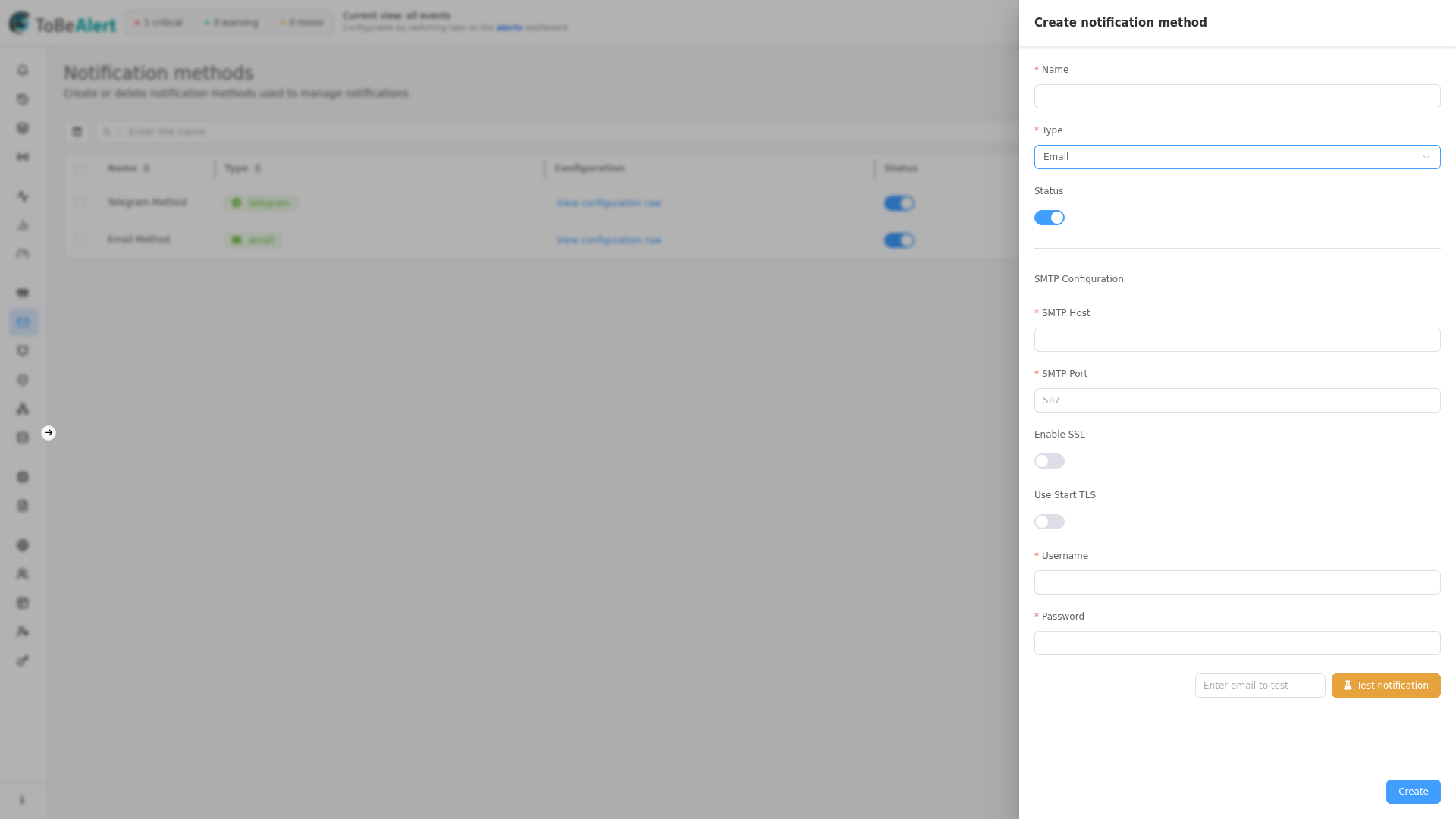
Telegram
The Telegram method sends alerts via a bot. Suitable for team channels and on-call chat.
Configuration fields
| Field | Description |
|---|---|
| Bot Token | Token from @BotFather |
| Default chat ID | Default user or channel chat ID |
Setup steps
- Create a bot with
@BotFatheron Telegram. - Copy the bot token into the form.
- Start a chat with the bot and send a message to obtain the chat ID.
- Optional: Test notification.
- Save.
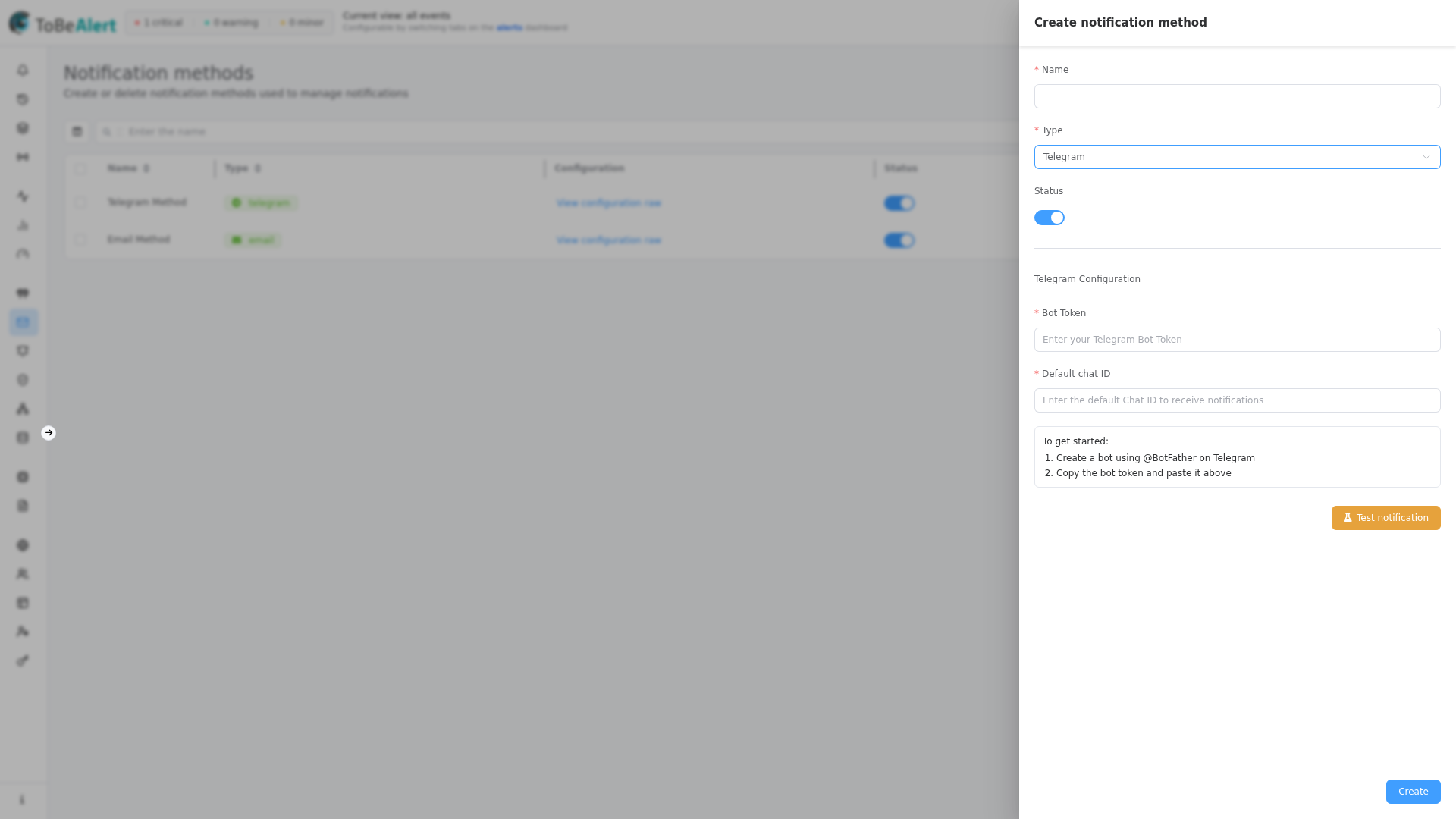
Message configuration (Telegram)
On the method or on a rule, enable Message Configuration to override the default test message:
| Option | Description |
|---|---|
| Message Format | HTML or Markdown (default: HTML) |
| Use Template | Pick a template |
| Custom Message | Free-text body with %fieldName% placeholders |
When HTML is selected, use Telegram HTML markup — not arbitrary HTML.
Telegram HTML markup
Telegram HTML format uses a custom markup subset, not full HTML. ToBeAlert passes the message to Telegram with parse mode HTML; unsupported tags may be stripped or cause delivery errors.
| Tag | Effect |
|---|---|
<b>, <strong> | Bold |
<i>, <em> | Italic |
<u>, <ins> | Underline |
<s>, <strike>, <del> | Strikethrough |
<tg-spoiler>, <span class="tg-spoiler"> | Spoiler |
<a href="URL">text</a> | Link |
<code> | Inline code |
<pre> | Code block |
<pre><code class="language-python"> | Syntax-highlighted block |
Notification templates support rich HTML for email. The template Preview pane renders standard HTML. When the same template is sent through Telegram with Message Format → HTML, only the tags above are honored. For rich email layout and simple Telegram text, maintain separate templates or use Custom Message with Telegram-safe markup.
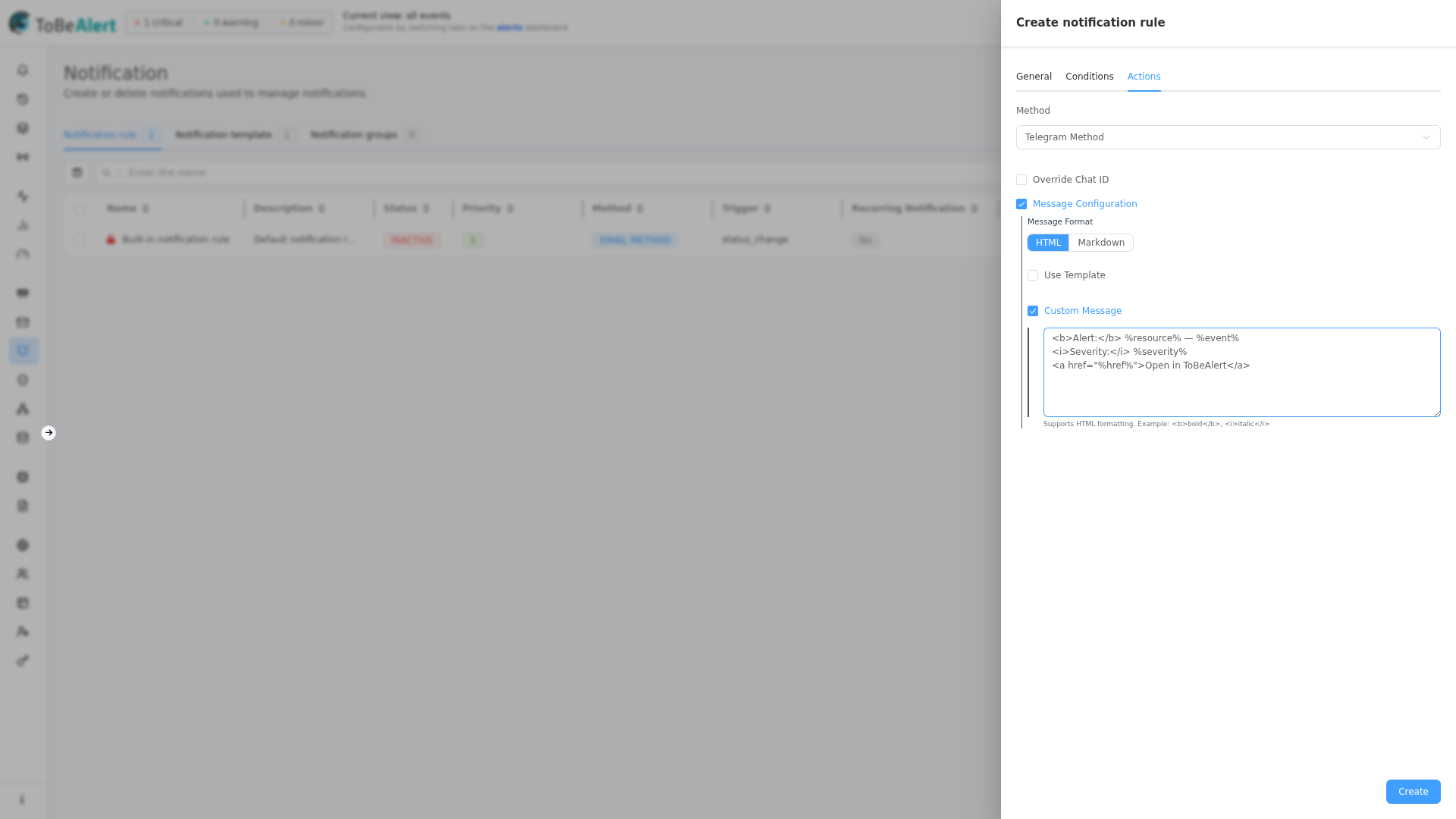
Example custom message (HTML format):
<b>Alert:</b> %resource% — %event%
<i>Severity:</i> %severity%
<a href="%href%">Open in ToBeAlert</a>
For Markdown format, use Telegram Markdown instead (for example *bold*, _italic_, [link](url)).
WhatsApp, REST API, and Custom
These types appear in the Type dropdown but are not selectable yet. Use Email or Telegram for production setups today.
Best practices
- Choose channels by urgency — instant messaging for critical alerts; email for less time-sensitive traffic.
- Avoid overload — limit who receives notifications to reduce alert fatigue.
- Test during setup and after credential changes.
- Use fallback methods where possible (e.g. email + Telegram).
- Reuse one method per environment instead of duplicating SMTP settings on every rule.