Topologies
Route: /service-topology ( Services tab )
A topology record binds a display Name, Description, target Service, and optional Service KPI to the graph you edit separately. Each service can have at most one topology.
See also: Overview · Graph editor · Weight policies
Table columns
| Column | Description |
|---|---|
| Name | Topology title; click to edit |
| Description | Short summary |
| Service | Linked service ID; click to open the graph editor |
| Service KPIs | Linked KPI name, or Not set |
| Create Time | When the record was created |
| Actions | View, Edit, Delete (when permitted) |
The list supports name search (Enter the name) and Toggle TQL filter mode — see TQL search and filters.
Create a topology
- Open Management → Service Topology ( Services tab ).
- Click Create topology.
- Choose Service to fetch (required). Services come from the service catalog; use Go to Services if none are listed yet.
- Enter Name and Description (required). Selecting a service can auto-fill the name and description.
- Optionally select Service KPIs — only KPIs for the chosen service appear.
- Click Create.
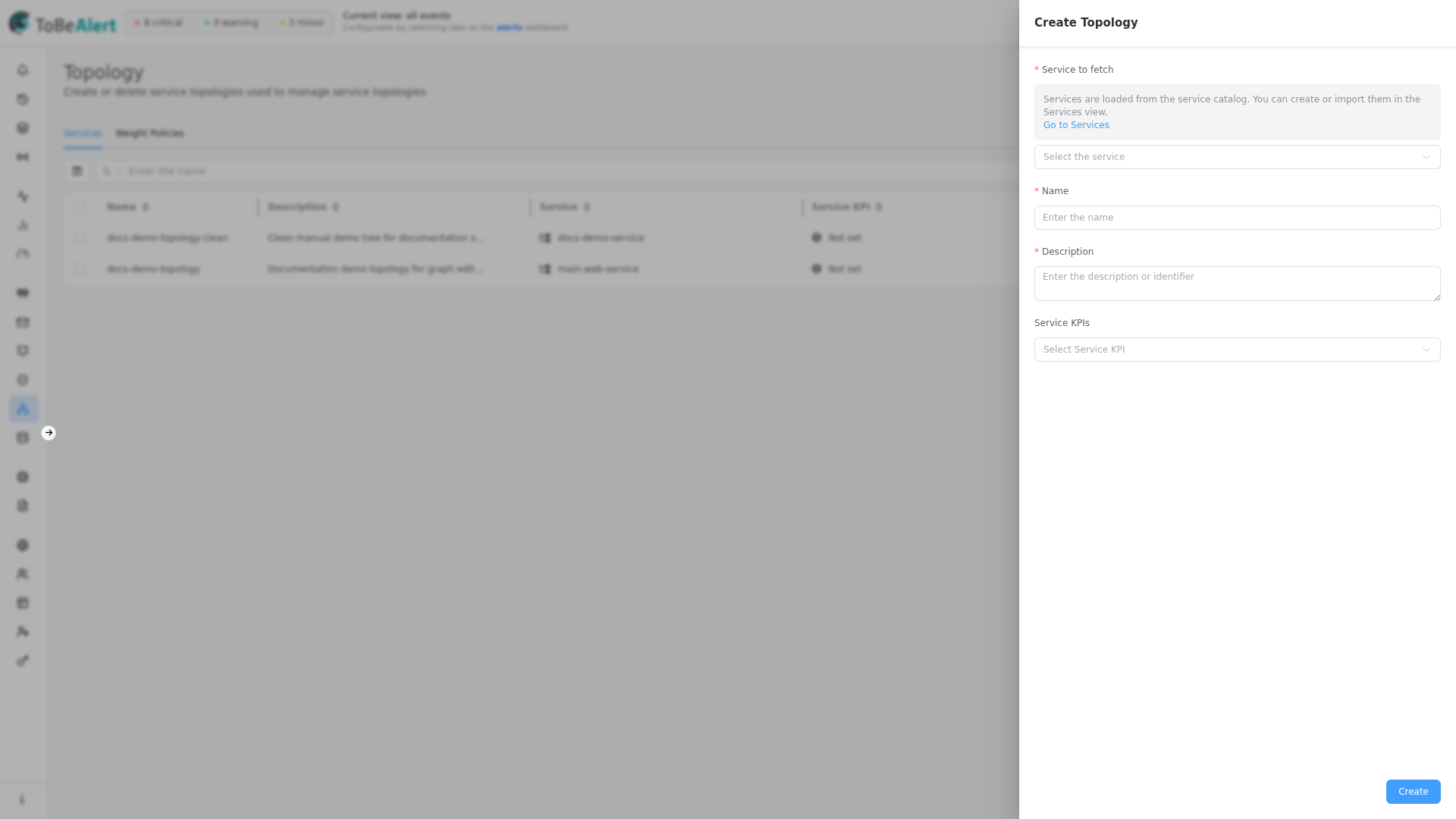
Form fields
| Field | Required | Description |
|---|---|---|
| Service to fetch | Yes | Service ID for this topology; must be unique across topologies |
| Name | Yes | Display name in lists and the graph header |
| Description | Yes | Description shown in the table |
| Service KPIs | No | KPI used for service-level uptime views |
If no services are available, the drawer shows a warning with Go to Services to create or import services first.
Edit, view, delete
| Action | How |
|---|---|
| View | Row View (eye) or click Service — opens /service-topology/<id> |
| Edit | Click Name or Description, double-click the row, bulk Edit topology, or row edit icon. Footer: Update |
| Delete | Row trash or bulk Delete topology — confirmation required |
Closing the drawer with unsaved edits shows the standard unsaved-changes prompt.
Bulk actions
When you select rows, use the bulk bar or context menu — see List tables and bulk actions.
| Bulk action | Notes |
|---|---|
| Edit topology | Exactly one row |
| View topology | Exactly one row |
| Delete topology | One or more rows |
Deep links
The Services tab accepts query parameters to open a topology automatically:
| Query | Behavior |
|---|---|
?id=<topology-id> | Opens the graph for that topology if it exists |
?service_name=<service-id> | Resolves by service name and opens the graph |
Invalid IDs show a not-found message and clear the query.
Best practices
- Pick the service before naming so auto-description (
{name} service topology) stays consistent. - Assign a KPI when operators need the KPI dashboard and topology graph for the same service.
- Use TQL filters on large lists instead of scrolling.
- Delete unused topologies to stay under license limits and reduce clutter.