Weight policies
Route: /service-topology ( Weight Policies tab )
Weight policies match alerts using the same style of Filters as other management modules and assign a numeric weight stored on the alert (in attributes). Enabled policies help drive KPI calculations and topology weighting without manual edits per alert.
See also: Overview · Topologies
Table columns
| Column | Description |
|---|---|
| Name | Policy name; click to edit |
| Description | Policy summary |
| Status | Toggle active / inactive per row |
| Actions | Edit, Delete (when permitted) |
Search by name and use Toggle TQL filter mode for advanced filtering — see TQL search and filters.
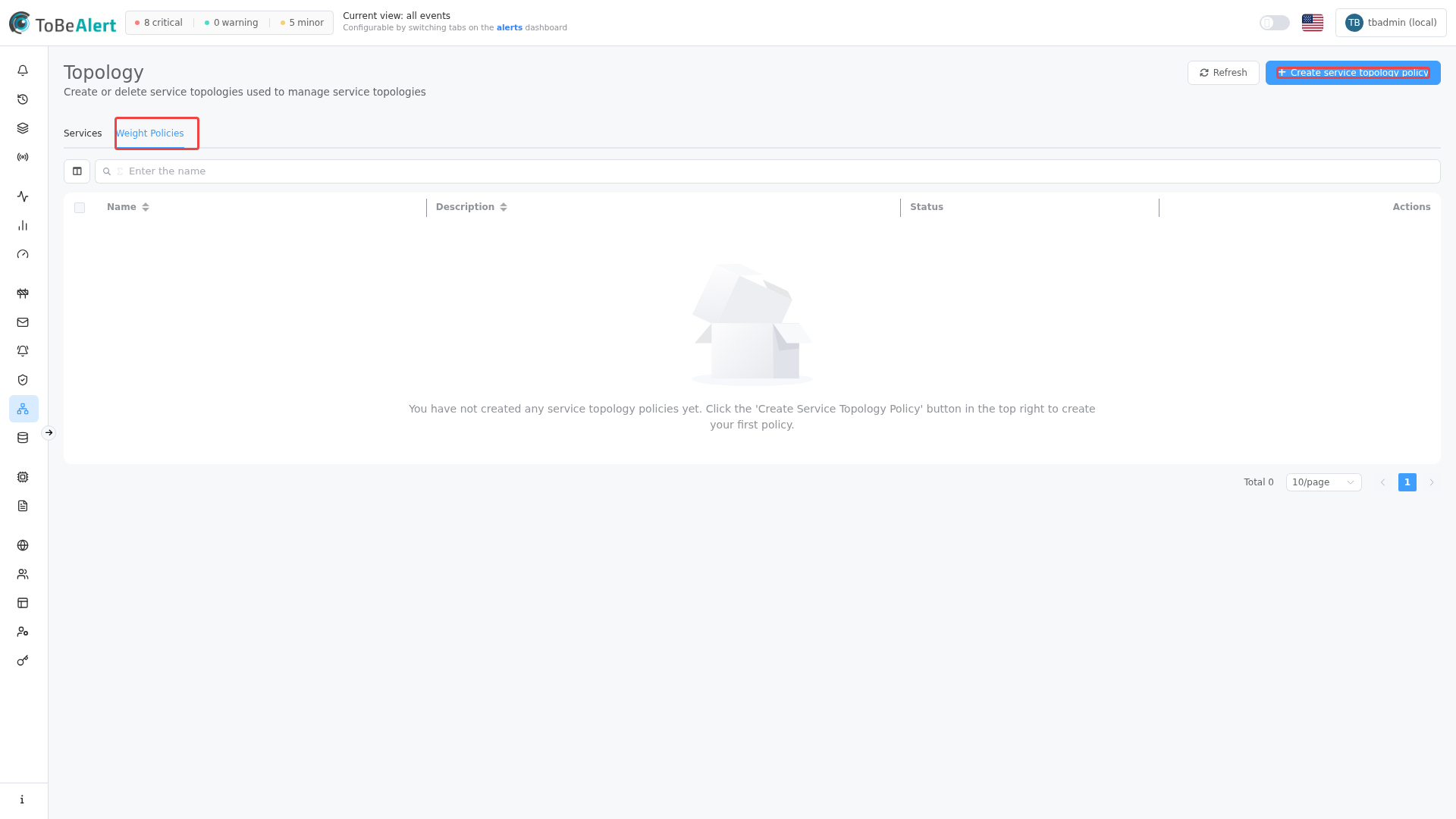
Create a weight policy
- Open Management → Service Topology.
- Select the Weight Policies tab.
- Click Create service topology policy.
- Enter Name and Description (required).
- Set Weight to set (0–100).
- Define at least one clause in Filters (query builder).
- Click Save.
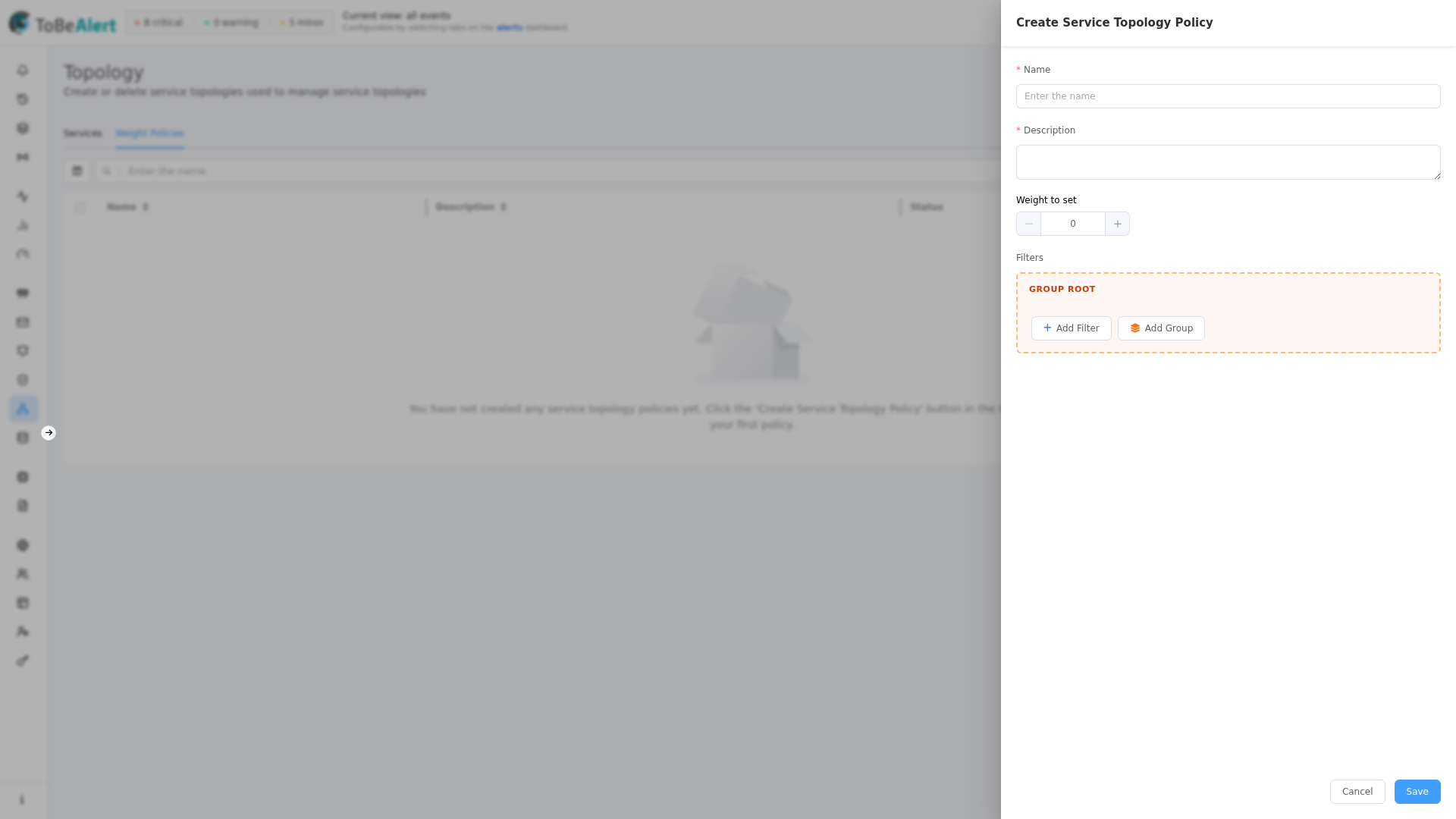
Form fields
| Field | Required | Description |
|---|---|---|
| Name | Yes | Identifier in the table |
| Description | Yes | What the policy does |
| Weight to set | Yes | Numeric weight applied to matching alerts (0–100) |
| Filters | Yes | Alert field conditions (AND groups); empty filters cannot be saved |
Edit, enable, disable, delete
| Action | How |
|---|---|
| Edit | Click Name or Description, double-click row, bulk Edit service topology policy, or edit icon |
| Enable / Disable | Status switch on the row, or bulk Enable service topology policy / Disable service topology policy |
| Delete | Bulk or row Delete — confirmation required |
Policies must have valid Filters JSON when saved; invalid filter data shows an error when opening the drawer.
How weights are used
When a policy is active and an alert matches its Filters, ToBeAlert sets the alert’s weight attribute to the configured value (if not already set by a higher-priority rule in your deployment). This integrates with Service KPI time-based calculations and topology visualization that respect alert weight.
Use lower or higher weights consistently across policies so operators can reason about relative impact.
Best practices
- Name policies by intent — e.g.
production-critical-weight. - Keep filters narrow — environment, service, severity, or resource clauses reduce surprises.
- Disable before delete when testing — toggle inactive instead of removing policies you may need again.
- Align weights with KPI severity weights so dashboard uptime and topology coloring tell the same story.
- Document weight scale in your runbook (what
0vs100means for your organization).