Conditions
Route: /policies ( Conditions tab in the policy drawer)
Conditions define which alerts a policy may modify. The visual builder is the same component used in notification rules and workflows.
See also: Overview · Creating a policy · Modifiers and tools
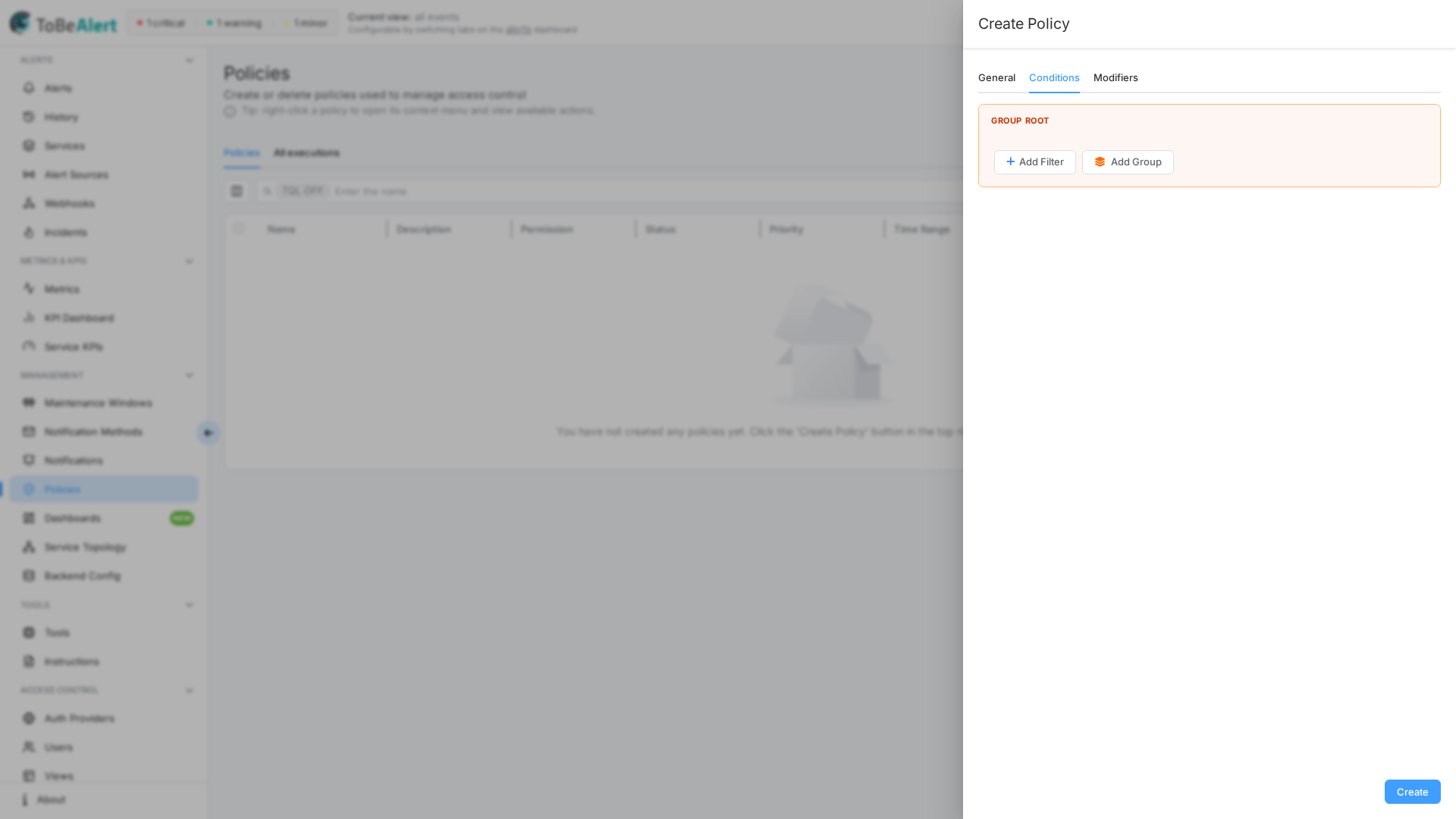
Alert filters
Builder controls
| Control | Description |
|---|---|
| Group Root | Top-level group for all conditions |
| Add Filter | Add a condition on an alert field |
| Add Group | Nest a sub-group for AND/OR logic |
| AND / OR | Combines siblings in a group (shown with two or more items) |
| Delete Group | Remove a nested group |
| Maximum depth reached | Nesting limit (five levels) |
Drag conditions by the grip handle to reorder. Empty conditions mean no attribute filtering — the policy applies to all alerts allowed by the trigger and time window.
Mixing AND and OR at the same level without nesting fails validation: "Ambiguous condition: mixing AND/OR in the same group. Please add groups to disambiguate."
Filterable alert fields
Field names appear in camelCase (same names as %fieldName% in notification templates).
| Field | What it matches |
|---|---|
severity | Current severity |
status | Alert status (open, ack, closed, …) |
environment | Deployment environment |
resource | Affected system or component |
event | Event type |
service | Service list on the alert |
group | Logical grouping |
tags | Alert tags |
attributes | Custom metadata — enter the key after selecting the field |
origin | Source system |
type | Alert classification |
text | Description text |
value | Metric value as sent by the source (97%, 1.5 GB, 12ms). Accepts numeric comparisons — see Numeric comparisons on text values |
createTime / updateTime / lastReceiveTime | Timestamps. Accept relative dates such as now-1d — see Relative time |
openFor (Open for) | Computed: how long the alert has existed (now − createTime), as a duration such as 30m, 2h, 1d, 1w |
silentFor (Silent for) | Computed: time since the alert was last received (now − lastReceiveTime), same duration values |
previousSeverity | Severity before last change |
user | User who last modified the alert |
Additional fields include correlate, duplicateCount, repeat, rawData, sourceId, timeout, and others.
Operators
Available operators depend on field type:
| Operator | Typical use |
|---|---|
| Equals / Not equals | Exact match |
| Is in / Is not in | Match any of several values |
| Contains / Does not contain | Substring or list membership |
| Greater than / Less than (and or equal) | Numbers, dates (absolute or relative), durations (Open for / Silent for), and the number inside text values (value, attributes) |
| Regular expression / Not regular expression | Pattern match (case-sensitive or insensitive) |
For attributes, all operators are available once you specify the attribute key.
Numeric comparisons on text values
value and every custom attribute are stored as text, but monitoring systems put numbers in them (97%, 1.5 GB, 12ms). With Greater than, Less than, Greater than or equal, and Less than or equal on value or on an attributes key, the server compares the first number found in the text on both sides:
| Alert value | Compared as |
|---|---|
97% | 97 |
1.5 GB | 1.5 |
12ms | 12 |
3,2 s | 3.2 (a comma decimal is accepted) |
n/a, high, empty | No number — the condition never matches |
The number you type in the condition is read the same way, so value Greater than 80% and value Greater than 80 are the same condition. Units are not converted: 1.5 GB is compared as 1.5, not as bytes. Equals and Not equals stay exact text comparisons (97% is not equal to 97).
Other text columns (resource, event, text, …) do not offer the numeric operators. The same comparison is available in TQL (value:gt:97, attributes.usage:gte:80 — see TQL search and filters) and in the filter builder of views and notification rules; policies with trigger On alert creation and any change type evaluate it on the incoming alert before it is stored.
Example — raise severity when a percentage crosses a threshold:
- Conditions:
eventEquals →Low disk spaceANDvalueGreater than →80% - Modifiers:
severityset →critical
Relative time
Two kinds of conditions depend on the current time. Both are evaluated when the query runs, so a scheduled policy re-evaluates them on every run and an alert that did not qualify at 09:00 can qualify at 09:30.
Durations — Open for and Silent for. The computed fields openFor (now − createTime) and silentFor (now − lastReceiveTime) take Equals, Not equals, Greater than, Less than, and the or equal variants. Type the duration with a unit — 30m, 2h, 1d, 1w (s, m, h, d, w; decimals such as 1.5h are allowed) — or as plain seconds (3600). Examples: openFor Greater than 1d (alerts older than a day), silentFor Greater than or equal 2h (nothing received for two hours).
Relative dates. Any date column (createTime, lastReceiveTime, updateTime, …) accepts now, now-<n><unit>, or now+<n><unit> instead of a fixed date — for example createTime Less than now-1d, or lastReceiveTime Greater than now-30m. In the builder, turn on the Relative switch next to the date picker to type the expression. A fixed date remains a fixed date: createTime Less than 2025-01-01 never changes meaning.
The same fields and values work in TQL (openFor:gt:1d, createTime:lt:now-1d — see TQL search and filters) and in the filter builder of views and notification rules. On policies with trigger On alert creation and any change type, the values are computed for the incoming alert at that moment.
Example scenarios
Downgrade staging critical alerts
Group Root [AND]
  ├─ environment Equals Staging
  └─ severity Equals critical
Modifiers (on the next tab): severity set → major.
Tag open alerts from a specific origin
Group Root [AND]
  ├─ status Is in open, ack
  └─ origin Equals prometheus
Modifier: tags add → reviewed-by-policy.
Scheduled cleanup of old open alerts
- General: trigger Daily at fixed time → 02:00, All Day (the default)
- Conditions:
statusEquals →openANDopenForGreater than →7d - Modifiers:
statusset →closed
createTime Less than → now-7d (with the Relative switch on) is the same condition written on the date column. Because both are evaluated on every run, the policy keeps closing alerts as they age; a fixed date would only match once.
Escalate alerts that stay minor
- General: trigger Every x minutes →
30 - Conditions:
severityEquals →minorANDopenForGreater than →1d - Modifiers: either
statusset →closed, or Severity step with Step+1and Never abovecritical(see Severity step)
With Severity step, an alert that is still open after a day goes minor → major on the first run that matches. Once it is major it no longer matches severity Equals minor, so the policy does not keep raising it; a condition such as severity Is in → minor, major would take it to critical and then stop at the cap.
Composite OR logic
For (severity = critical OR severity = major) AND environment = Production:
Group Root [AND]
  ├─ Group [OR]
  │    ├─ severity Equals critical
  │    └─ severity Equals major
  └─ environment Equals Production
Best practices
- Start with
environment,severity,status, andservicebefore exotic fields. - Use nested groups for OR-then-AND logic; never mix operators at one level.
- For scheduled policies, combine status with Open for / Silent for or a relative date (
now-1d) so batch runs do not touch unrelated alerts and the condition stays valid run after run. - Compare
valueand attributes with Greater than / Less than only when the source puts a number in them; a value without a number never matches, so pair the condition with aneventfilter. - After saving, use Run on Creating a policy and verify Alerts Matched.