Conditions
Route: /policies ( Conditions tab in the policy drawer)
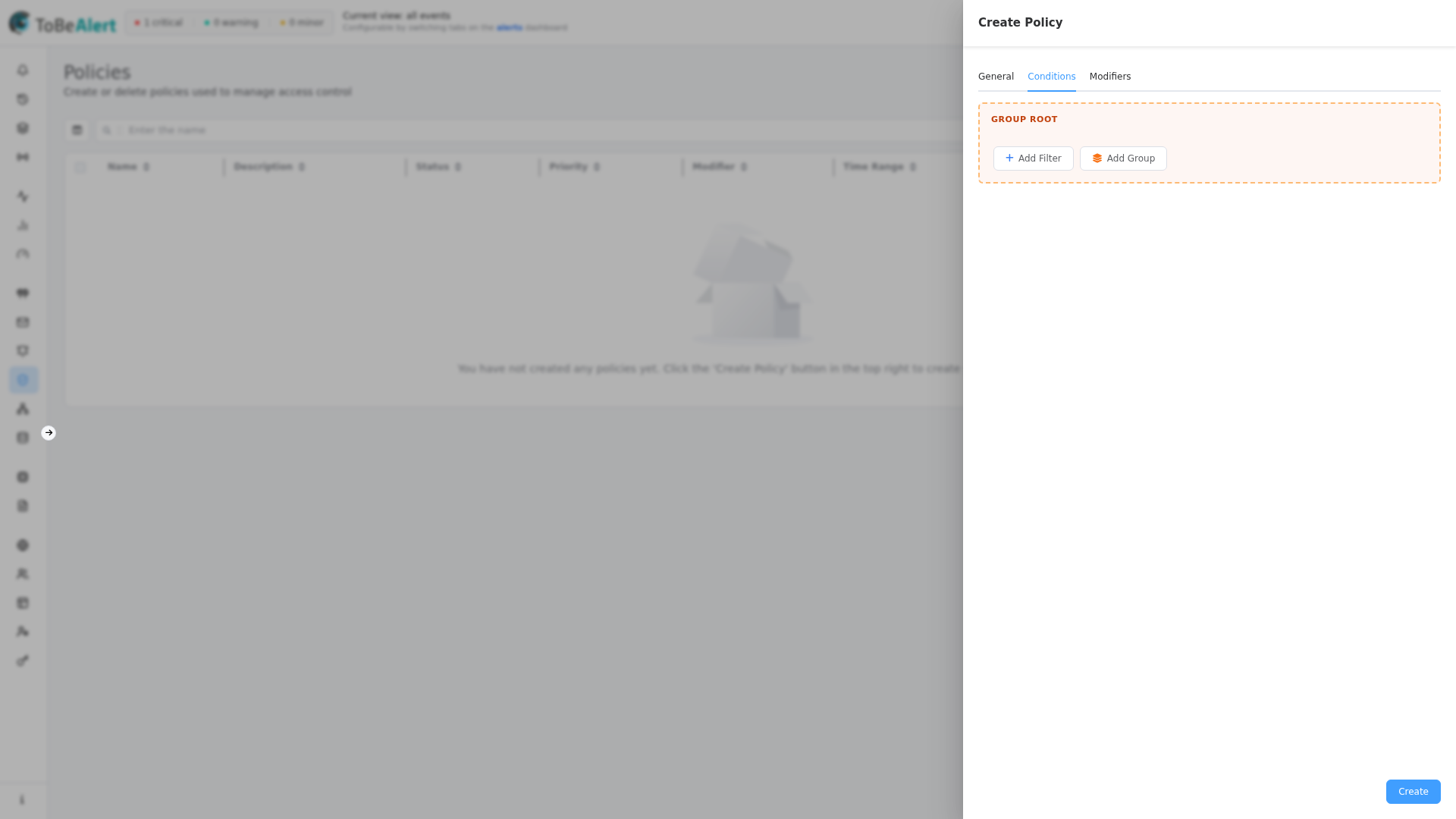
Conditions define which alerts a policy may modify. The visual builder is the same component used in notification rules and workflows.
See also: Overview · Creating a policy · Modifiers and tools
Alert filters
Builder controls
| Control | Description |
|---|---|
| Group Root | Top-level group for all conditions |
| Add Filter | Add a condition on an alert field |
| Add Group | Nest a sub-group for AND/OR logic |
| AND / OR | Combines siblings in a group (shown with two or more items) |
| Delete Group | Remove a nested group |
| Maximum depth reached | Nesting limit (five levels) |
Drag conditions by the grip handle to reorder. Empty conditions mean no attribute filtering — the policy applies to all alerts allowed by the trigger and time window.
Mixing AND and OR at the same level without nesting fails validation: "Ambiguous condition: mixing AND/OR in the same group. Please add groups to disambiguate."
Filterable alert fields
Field names appear in camelCase (same names as %fieldName% in notification templates).
| Field | What it matches |
|---|---|
severity | Current severity |
status | Alert status (open, ack, closed, …) |
environment | Deployment environment |
resource | Affected system or component |
event | Event type |
service | Service list on the alert |
group | Logical grouping |
tags | Alert tags |
attributes | Custom metadata — enter the key after selecting the field |
origin | Source system |
type | Alert classification |
text | Description text |
createTime / updateTime / lastReceiveTime | Timestamps |
previousSeverity | Severity before last change |
user | User who last modified the alert |
Additional fields include correlate, duplicateCount, repeat, rawData, sourceId, value, timeout, and others.
Operators
Available operators depend on field type:
| Operator | Typical use |
|---|---|
| Equals / Not equals | Exact match |
| Is in / Is not in | Match any of several values |
| Contains / Does not contain | Substring or list membership |
| Greater than / Less than (and or equal) | Numbers and dates |
| Regular expression / Not regular expression | Pattern match (case-sensitive or insensitive) |
For attributes, all operators are available once you specify the attribute key.
Example scenarios
Downgrade staging critical alerts
Group Root [AND]
  ├─ environment Equals Staging
  └─ severity Equals critical
Modifiers (on the next tab): severity set → major.
Tag open alerts from a specific origin
Group Root [AND]
  ├─ status Is in open, ack
  └─ origin Equals prometheus
Modifier: tags add → reviewed-by-policy.
Scheduled cleanup of old open alerts
- General: trigger Daily at fixed time → 02:00, Time Range All Day
- Conditions:
statusEquals →openANDcreateTimeLess than (date threshold) - Modifiers:
statusset →closed
Composite OR logic
For (severity = critical OR severity = major) AND environment = Production:
Group Root [AND]
  ├─ Group [OR]
  │    ├─ severity Equals critical
  │    └─ severity Equals major
  └─ environment Equals Production
Best practices
- Start with
environment,severity,status, andservicebefore exotic fields. - Use nested groups for OR-then-AND logic; never mix operators at one level.
- For scheduled policies, combine status/date filters so batch runs do not touch unrelated alerts.
- After saving, use Run on Creating a policy and verify Alerts Matched.