Overview
ToBeAlert’s notification system is configured from the web interface under Management. It is split into four parts that you should create in a logical order:
| Step | What you configure | Menu / route | Documentation |
|---|---|---|---|
| 1 | Methods — channel (email, Telegram, …) | Management → Notification methods → /notifications-methods | Notification methods |
| 2 | Groups — who receives | Notifications → Groups → /notifications/groups | Notification groups |
| 3 | Templates — HTML message body (%severity%, %attributes.key%, …) | Notifications → Templates → /notifications/templates | Notification templates |
| 4 | Rules — when and how to send | Notifications → Rules → /notifications/rules | Notification rules |
Rules link a method, optionally groups or users in the action, and a template (in email/Telegram action settings).
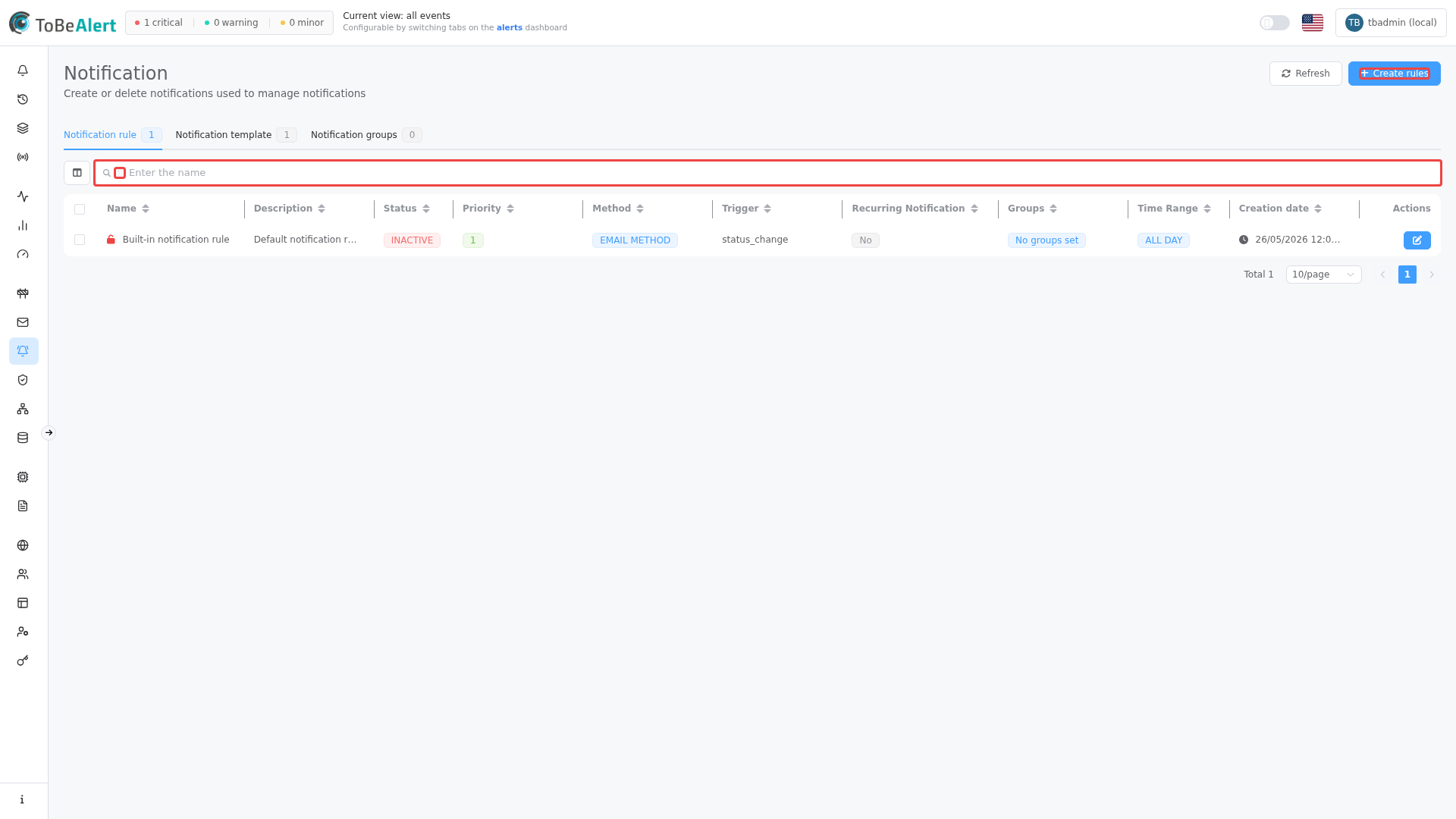
Where to find it in the UI
In the sidebar under Management:
- Notification methods — channel setup (SMTP, Telegram bot, etc.).
- Notifications — three tabs with item counts: Rules, Templates, Groups
Common buttons on all views: Refresh and Create (the label includes the active tab, e.g. Create rules).
Configuring notification methods and managing rules, templates, and groups each require the appropriate permissions in your organization. If menus or Create buttons are missing, contact your administrator.
How the four parts fit together
Typical email example:
- Method
smtp-prod: hostsmtp.company.com, port 587, credentials. - Group
on-call-n1: on-call team users. - Template
critical-alert: HTML with severity, service, and link. - Rule
critical-production:- Conditions:
severity = critical,environment = Production, 24h schedule. - Trigger: Post receive.
- Actions: method
smtp-prod, recipients = groupon-call-n1, HTML = templatecritical-alert.
- Conditions:
ToBeAlert evaluates rules by priority, applies your conditions and schedule, then sends notifications through the configured method.
License limits
The UI may disable Create when your license limit is reached:
| Resource | When limited |
|---|---|
| Rules | Create rules is unavailable |
| Templates | Create templates is unavailable |
| Groups | Create groups is unavailable |
Related modules
| Module | Relationship |
|---|---|
| Workflows (Notify node) | Can reference notification groups in flow parameters |
| Custom webhooks | Inbound webhooks (receive alerts); not the same as outbound REST notification methods |
| Users, roles and permissions | Users assignable to groups; see Managing users for account setup |
Best practices
- Deploy in order: methods → groups → templates → rules.
- One method per environment/channel and reuse across rules.
- Clear priorities: more specific rules with a lower priority number than generic ones.
- Test methods before enabling critical rules.
- Use templates for HTML; avoid duplicating markup on every rule.
- Groups by team/role, not ad-hoc user lists per rule.
- Watch for “Pending” status — often a misconfigured time window.
- Do not confuse API webhooks with UI notification methods.